

Tickerly is the pragmatic best choice for most traders who want reliable TradingView-to-execution automation, because it combines fast, multi-exchange order execution with unlimited multi-strategy support and built-in risk controls. It closes the gap between a well-tested Pine Script alert and a live order without the latency and manual error that come from copying signals by hand. The rest of this guide walks through the criteria, the technical flow, and the testing steps that back that recommendation.
TL;DR:
Reliable automation requires all webhook payload fields to match exchange API requirements and include candle-close signals to prevent repainting issues.
Backtesting must involve out-of-sample validation, realistic paper trading with slippage and fees, and staged deployment to avoid unexpected losses.
Automation safeguards like circuit breakers, emergency kill switches, and risk filters should be in place before live trading begins, with thorough monitoring setup.
Tickerly offers unlimited strategies across multiple exchanges, supports real-time execution, and provides a free trial to test webhook mapping and risk controls thoroughly.
Success depends more on operational readiness, including order handling, risk management, and correct payload configuration, than on interface features or supported exchange count.
Table of Contents
-
How Should You Backtest and Validate a Strategy Before Going Live?
-
What Risks Should You Plan For, and What Safeguards Actually Help?
What Makes a TradingView Bot Reliable and Trustworthy?
Not every tool that claims to work “with TradingView” belongs in the same conversation. Some are glorified alert forwarders. Others are full execution engines with order management, risk filters, and exchange redundancy built in. Before you rank any bot, score it against these criteria.
-
Alert and webhook compatibility. The bot needs to accept TradingView’s JSON webhook payloads natively and support the exchange APIs you actually trade on, whether that’s a crypto exchange, a forex broker, or a stock platform.
-
Execution characteristics. Look at supported order types (market, limit, stop), how the platform handles rejected orders, and whether it retries intelligently instead of silently dropping a signal.
-
Risk management depth. A circuit breaker, a max daily or weekly drawdown limit, and per-trade risk sizing should be configurable directly in your strategy, not bolted on as an afterthought.
-
Multi-strategy and multi-asset handling. Can it run five strategies across three asset classes at once without one alert stepping on another?
-
Backtest transparency. The strategy behind the alerts should be non-repainting, with results validated on out-of-sample data rather than just the period it was tuned on.
-
Pricing and trial access. A genuine trial period, transparent API security practices, and a pricing model tied to usage rather than vague tiers all matter more than a flashy dashboard.
Pro Tip: Ask any bot vendor directly whether their signals are candle-close confirmed. If the answer is vague, assume the strategy repaints, and treat every backtest number with skepticism until you verify it yourself.
How Do TradingView Alerts Actually Trigger a Trade?
The mechanics are simpler than most people assume, but the details are where automation breaks. A Pine Script strategy fires an alert condition, TradingView packages that into a JSON payload, and the payload gets sent as an HTTP POST to a webhook URL. That webhook is the automation platform’s front door.
From there, the platform parses the payload, maps its fields (symbol, side, quantity, order type) to the exchange’s API schema, and submits the order. This is where execution speed separates serious platforms from hobby scripts. A few seconds of delay between alert and fill can be the difference between capturing a breakout and chasing it.
-
Alerts should trigger on candle close, not mid-bar, to avoid signals that vanish before the bar finishes forming.
-
The webhook payload needs every field the exchange API requires. Missing a field causes silent order failures.
-
Slippage and latency usually come from three places: TradingView’s own alert delay, network round-trip to the exchange, and exchange-side order queue congestion.
-
Well-documented, non-repainting strategies with layered risk controls are far easier to automate reliably than discretionary indicators built for visual chart analysis.
Community strategies like Liquidity Maxing demonstrate this well, pairing an eight-factor confluence system with ATR-based stops and webhook-ready alerts, which is exactly the kind of documentation an automation platform needs to execute a strategy safely.
How Should You Backtest and Validate a Strategy Before Going Live?
Skipping validation is the single fastest way to blow up an account on a strategy that looked great in a backtest and fell apart in real markets. Follow a staged process instead of jumping straight from Pine Script to live capital.
-
Run automated grid-search optimization across your parameter set instead of tuning by hand. Automated grid search can test hundreds of combinations in minutes rather than hours, and ranks results by Net Profit, Win Rate, Profit Factor, and Max Drawdown.
-
Validate out-of-sample. Run the optimized parameters against a period the strategy never saw during tuning, and confirm the alerts are non-repainting.
-
Paper trade with realistic frictions. Simulate slippage and commissions, not just the idealized fill prices a backtest assumes.
-
Check the full metric set before trusting any strategy: Net Profit, Max Drawdown, Profit Factor, and Sharpe or Sortino ratio together, never one number in isolation.
-
Roll out live in stages, starting with minimal size and scaling up only as live performance tracks the paper results.
Pro Tip: A strategy that looks identical in backtest and paper trading, then diverges once live, usually points to a repainting signal or an unmodeled fee structure. Check both before blaming the market.
How Do You Set Up a Bot From TradingView to Live Execution?
Getting from a Pine Script idea to a running bot is a sequencing problem more than a technical one. Rush the order and you will chase down bugs in production instead of in testing.
-
Write explicit alert payloads in Pine Script using candle-close triggers, and include every field your target exchange API expects.
-
Register your webhook endpoint with the automation platform and test it in sandbox or paper mode before touching real funds.
-
Map payload fields to exchange order parameters, testing each order type (market, limit, stop) individually rather than assuming they all work the same way.
-
Turn on risk filters inside your strategy script before anything else goes live: max drawdown limits, per-trade risk caps, and cooldown periods between correlated signals.
-
Set up monitoring and notifications so you know within minutes, not hours, if an order fails or a filter trips.
Most traders who follow this sequence can move from a working Pine Script alert to a monitored live bot within a week or two, longer if they are also running fresh grid-search optimization on the strategy itself. Tickerly’s Pine Script automation guide walks through the payload structure in more detail if you’re writing alerts from scratch.
Why Tickerly Fits the Practical Automation Standard
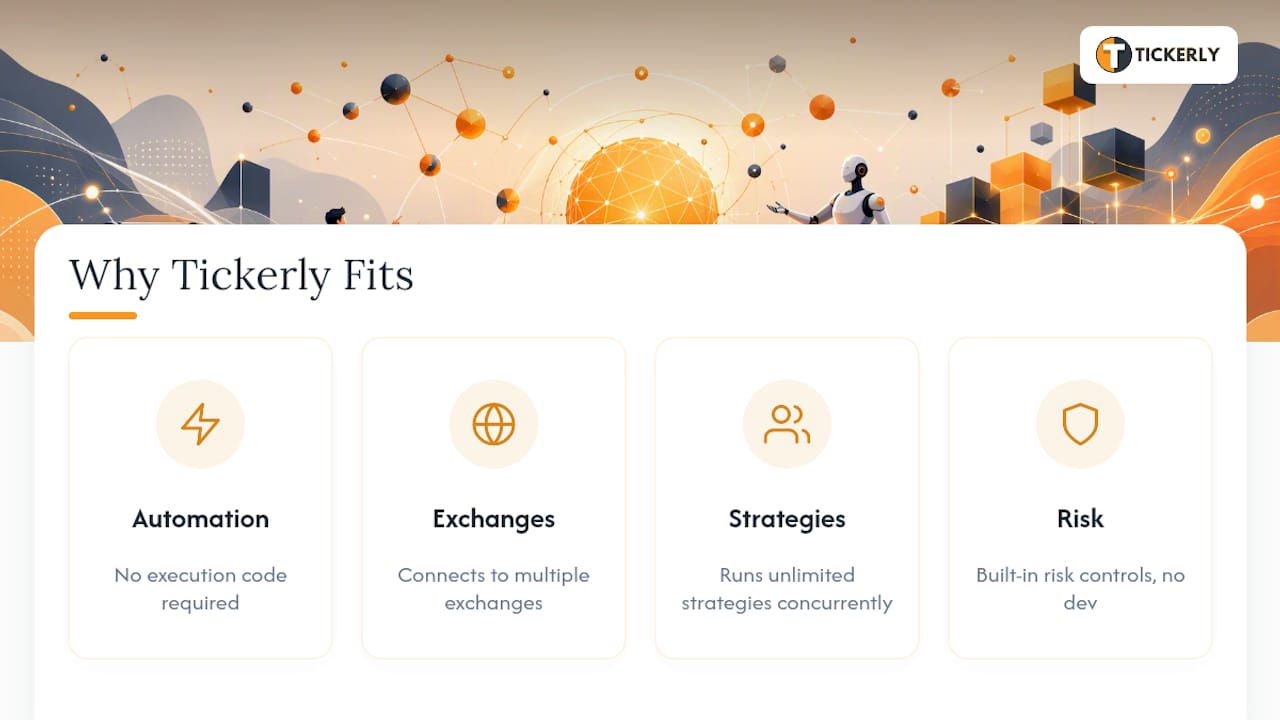
Tickerly automates TradingView strategies into fully functional bots without asking you to write execution code. It connects directly to multiple exchanges, executes on real-time alerts, and runs unlimited strategies simultaneously across crypto, forex, and stocks. Traders running several concurrent strategies get real diversification instead of juggling browser tabs and manual order entry.
If your priority is closing the gap between a tested Pine Script alert and a filled order, with risk controls that don’t require custom development, Tickerly fits that job directly. It’s built for active traders and Pine Script authors who have already done the strategy work and now need dependable execution.
The Real Standard for Judging a TradingView Bot
Most comparisons of automation tools fixate on interface polish or the number of supported exchanges, and both matter less than they seem to. What actually separates a bot worth trusting from one that will eventually cost you money is operational readiness: how it handles a rejected order, whether its risk filters trigger before a bad week becomes a bad month, and whether you can map every alert field correctly before you ever risk capital.
The conventional advice, “just connect your alerts and let it run,” undersells how much work goes into getting the mapping and risk settings right the first time. Traders who skip staged testing tend to discover their payload was missing a field, or their strategy was repainting, only after a losing streak forces them to look closely.
Prioritize the boring stuff first: candle-close alerts, complete payload fields, and risk limits set before you ever flip live trading on. The strategy’s edge matters, but a mediocre strategy with disciplined risk controls will outlast a brilliant strategy with none.
Try Tickerly Without Betting Your Full Position
Tickerly gives you a 30-day free trial, so you can connect a single strategy, run it in paper mode, and confirm every webhook field maps correctly before committing real capital. That’s a meaningfully lower barrier than building custom execution infrastructure yourself or hiring a developer to wire up exchange APIs from scratch.

Start with one strategy in paper mode, enable the platform’s risk limits (max drawdown, per-trade sizing, cooldowns), and only then move to a small live allocation once the paper results match your backtest. From there, explore Tickerly’s strategy library for presets that are already webhook-ready, or read why traders automate with bots to see the efficiency gains beyond execution speed alone. When you’re ready to configure exchanges and API keys, the autotrading setup guide covers the technical steps end to end.
Where to Go Next for Strategy Testing and Discovery
For parameter optimization, Pineify’s strategy optimizer runs automated grid search across hundreds of combinations in minutes. For ready-to-inspect scripts with documented risk controls, review Liquidity Maxing on TradingView, and check TradeSearcher for ranked, repaint-filtered backtests.
Sources
-
TradingView Strategy Optimizer — Automated Grid Search | Pineify
-
Liquidity Maxing JOAT — Strategy by officialjackofalltrades — TradingView
FAQ
Does TradingView Have a Built-In AI Trading Bot?
TradingView itself doesn’t offer a native AI trading bot. It’s a charting and alerting platform, and traders connect its webhook alerts to a separate automation platform like Tickerly to convert signals into live orders.
Which Is the Most Successful Trading Bot?
There’s no single universally “most successful” bot, since performance depends on the strategy behind it, not just the execution layer. The more useful question is which platform executes your specific, validated strategy fastest and with the strongest risk controls, which is where multi-exchange execution speed and built-in drawdown limits matter more than marketing claims.
Which AI Trading Bot Is the Best?
The best choice depends on your asset classes and strategy count, but for traders who already build strategies in Pine Script and want reliable execution without writing broker integration code themselves, Tickerly’s combination of multi-strategy support and fast order execution makes it a strong practical fit.
Is There a Free Bot for TradingView?
Fully free, production-grade automation is rare, since real-time execution and exchange API maintenance carry ongoing costs. Tickerly offers a 30-day free trial so you can test webhook mapping and paper trading before committing to a paid plan.
Recommended
This article was produced with Al assistance and reviewed for accuracy. It is provided for general information only and is not professional or financial advice.