

What is Pine Script and why does it matter for traders?
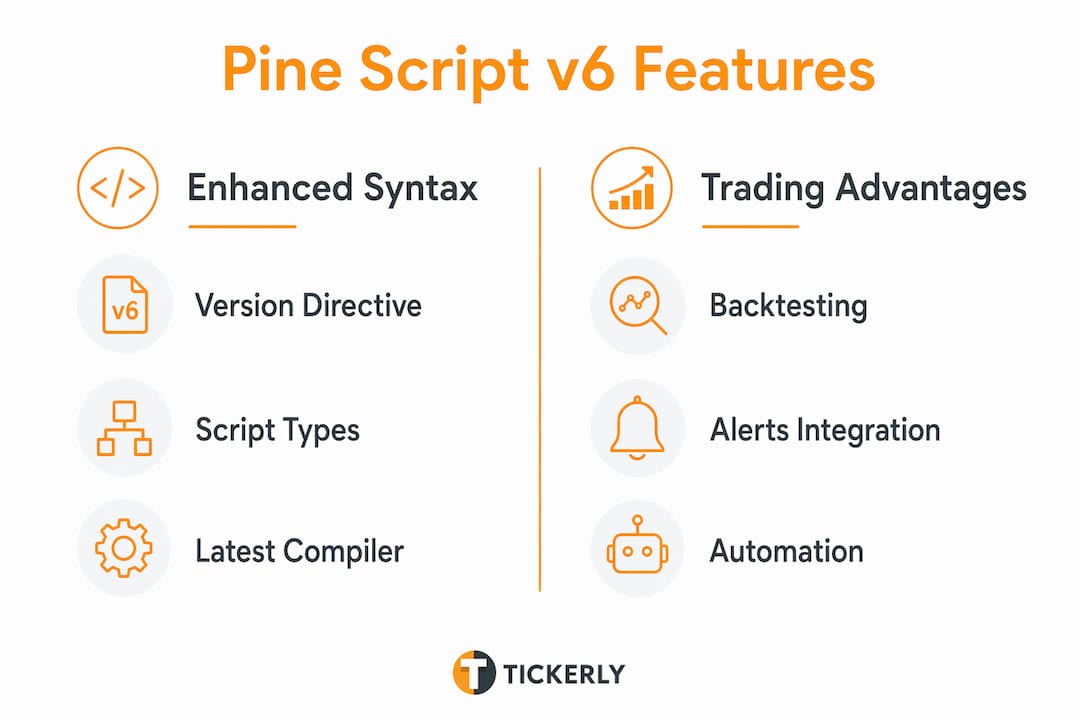
Pine Script is TradingView’s proprietary, cloud-based programming language built specifically for financial market analysis and strategy automation. It runs entirely on TradingView’s servers, meaning you write code once and it executes in real time without local setup or infrastructure. For traders automating strategies in 2026, it’s the direct path from a trading idea to a live, alert-generating system.
Pine Script produces three types of tools:
- Indicators — visual overlays like RSI, MACD, or custom moving averages that analyze price data without placing orders
- Strategies — scripts that simulate trade entries and exits, generate backtest reports, and fire live alerts for execution
- Libraries — reusable code modules that advanced traders package for shared use across multiple scripts
Key features of Pine Script v6 you need to know
Pine Script v6 is the current standard as of mid-2026, and it’s meaningfully better than earlier versions for anyone building automated strategies. The type system is stricter and cleaner, library imports work reliably, and the syntax handles complex logic without becoming unreadable.
Core capabilities include:
- Bar-by-bar execution — scripts run sequentially on every historical bar, then re-execute on each new real-time tick
- Built-in functions for common indicators:
ta.macd(),ta.sma(),ta.rsi()reduce multi-line calculations to a single call - Real-time alert generation that connects to external automation tools and broker APIs
- Strong typing with implicit inference — the compiler resolves most types automatically, reducing boilerplate
- Modular library support for sharing and reusing logic across scripts
Pro Tip: Always start every new script with //@version=6 as the first line of code. This unlocks the latest compiler features and prevents silent compatibility issues.
How the TradingView community accelerates your Pine Script learning

TradingView hosts over 150,000 community scripts, with roughly half published as open-source. That library is one of the fastest ways to learn Pine Script for beginners: find a script close to what you want, open it in the Pine Editor, and modify it.
The built-in Pine Editor supports:
- Syntax highlighting and real-time error detection
- Pop-up reminders when you hover over language constructs
- Auto-complete via
Ctrl+Space(Windows) orCmd+I(Mac) - Direct access to the Pine Script Reference Manual from within the editor
You can also write scripts offline in any text editor and paste them in, which makes Git-based version control straightforward for teams.
How Pine Script connects your strategy to real-time trade execution
Pine Script’s real power for active traders is its alert system. Scripts execute on TradingView’s servers and generate alerts the moment defined conditions are met on a live bar. Those alerts carry a JSON payload that external automation tools receive via webhook.
The practical workflow looks like this:
- Write your entry and exit logic in Pine Script using
strategy.entry()andstrategy.exit() - Set an alert on the strategy with “Order fills only” or a custom message
- Point the webhook URL to your automation layer
- The automation layer routes the signal to your broker or exchange API
Tickerly sits at step four, receiving those TradingView alerts and executing orders across crypto, forex, and stock exchanges with minimal latency. The speed between signal and fill is where edge lives, and fast execution directly affects whether you capture the price your strategy targeted.
Basic Pine Script syntax every trader should understand
A valid Pine Script needs exactly two things: a version directive and a script type declaration. Everything else is optional.
//@version=6
indicator("My SMA", overlay=true)
sma20 = ta.sma(close, 20)
plot(sma20, color=color.blue)
Key syntax concepts for beginners:
close,high,low,openare built-in series variables, each holding one value per bar- Variables declared with
varpersist across bars; without it, they reset each bar barstate.islastguards drawing objects so they only render on the final bar, avoiding TradingView’s per-type drawing limitsinput.int()andinput.float()expose parameters in the script settings panel for easy adjustment
How Pine Script compares to other trading scripting languages
Pine Script is a domain-specific language (DSL) purpose-built for charting and backtesting. General-purpose languages like Python can connect to broker APIs directly, but they require local infrastructure, data feeds, and execution management. Pine Script trades that flexibility for speed of development and native TradingView integration.
| Dimension | Pine Script | General-purpose languages |
|---|---|---|
| Setup required | None (cloud-based) | Local environment, data feeds |
| Backtesting | Built into TradingView | Requires external libraries |
| Execution | Via alerts and webhooks | Direct API calls |
| Learning curve | Lower for traders | Higher, broader skill set |
For traders whose workflow centers on TradingView charts, Pine Script is the faster path. Python or similar languages make more sense when you need direct brokerage API access or custom data pipelines outside TradingView.
Pine Script examples: common use cases in practice
The most common Pine Script use cases for US traders in 2026:
Simple moving average crossover strategy:
//@version=6
strategy("SMA Cross", overlay=true)
fast = ta.sma(close, 10)
slow = ta.sma(close, 50)
if ta.crossover(fast, slow)
    strategy.entry("Long", strategy.long)
if ta.crossunder(fast, slow)
    strategy.close("Long")
RSI overbought/oversold alert indicator:
//@version=6
indicator("RSI Alert", overlay=false)
rsi = ta.rsi(close, 14)
plot(rsi)
alertcondition(rsi < 30, "Oversold", "RSI below 30")
These two patterns cover the majority of real-world automation setups. The strategy version fires order alerts; the indicator version fires condition alerts. Both connect to Tickerly or any webhook-compatible automation layer the same way. For a deeper look at TradingView automation strategies, the range of applicable setups expands considerably once you’re comfortable with these foundations.
How to set up Pine Script in TradingView right now
Getting started takes under five minutes:
- Open any chart on TradingView (free account works)
- Click Pine Editor in the bottom panel
- Delete the default code and paste your script
- Click Add to chart to run it immediately
- Open Strategy Tester (for strategy scripts) to review backtest results
- Set an alert on the script and configure a webhook URL for live automation
The official TradingView documentation is the authoritative reference for syntax questions. For automation setup specifically, connecting your TradingView alerts to an execution layer like Tickerly is covered in the alert setup guide.
Legal and regulatory considerations for US traders
Pine Script itself is a development tool, not a regulated financial product. However, what you do with the signals it generates falls under existing US financial regulations.
Key considerations:
- Algorithmic trading on US equities is legal for retail traders, but strategies trading securities may trigger SEC or FINRA oversight if operated commercially or on behalf of others
- Crypto automation operates in a less defined regulatory space; the CFTC and SEC both claim jurisdiction over certain digital assets, so verify the classification of assets you’re trading
- Backtesting results are not guarantees. TradingView’s Strategy Tester uses historical OHLCV data, and past performance does not predict future results under any US regulatory standard
- Webhook security matters: use HTTPS endpoints and token-based authentication to prevent unauthorized order injection
Running automated strategies through Tickerly on crypto or forex markets carries different regulatory exposure than trading US-listed equities. Consult a licensed financial advisor or securities attorney before deploying capital-at-risk automation at scale.
Tickerly turns your Pine Script alerts into live trades
Once your Pine Script strategy is generating alerts, the next step is execution. Tickerly connects directly to your TradingView webhook alerts and routes orders to your exchange or broker in real time, with no manual intervention required.

Traders using Tickerly run multiple strategies simultaneously across crypto, forex, and stocks, capturing opportunities around the clock. The benefits of automated trading bots go beyond convenience: they remove emotional decision-making and execute at speeds no manual trader can match.
Key Takeaways
Pine Script is TradingView’s cloud-based language for building indicators, strategies, and libraries that generate real-time alerts for automated trade execution.
| Point | Details |
|---|---|
| Three script types | Pine Script creates indicators, strategies, and libraries, each serving a distinct purpose. |
| v6 is the current standard | Use //@version=6 as your first line to access the latest features and compiler improvements. |
| 150,000+ community scripts | Roughly half are open-source, making community code the fastest learning resource available. |
| Alerts power automation | Strategies fire webhook alerts that tools like Tickerly route to exchanges for live execution. |
| US regulatory awareness | Automated strategies on US securities may involve SEC or FINRA oversight; crypto rules differ. |
FAQ
What is Pine Script used for?
Pine Script is used to build custom technical indicators, backtested trading strategies, and reusable code libraries directly on TradingView’s platform.
Is Pine Script free to use?
Pine Script is available to all TradingView users at no additional cost, though some platform features require a paid TradingView subscription.
Can Pine Script execute trades automatically?
Pine Script generates alerts that connect to external automation tools via webhook; it does not place orders directly, but platforms like Tickerly handle live order execution from those alerts.
How hard is Pine Script for beginners?
TradingView designed Pine Script to be accessible for first-time programmers while remaining powerful enough for complex strategy logic.
What version of Pine Script should I use in 2026?
Pine Script v6 is the current standard; always declare //@version=6 at the top of every new script to access the latest syntax and performance improvements.