

TL;DR:
- Trading templates standardize chart layouts, entry and exit rules, and risk parameters to eliminate guesswork and emotional reactions. They enforce consistency, reduce setup drift, and simplify live decision-making, leading to measurable performance improvements. Using simple, well-maintained templates and regular reviews enhances discipline, data quality, and trading success over time.
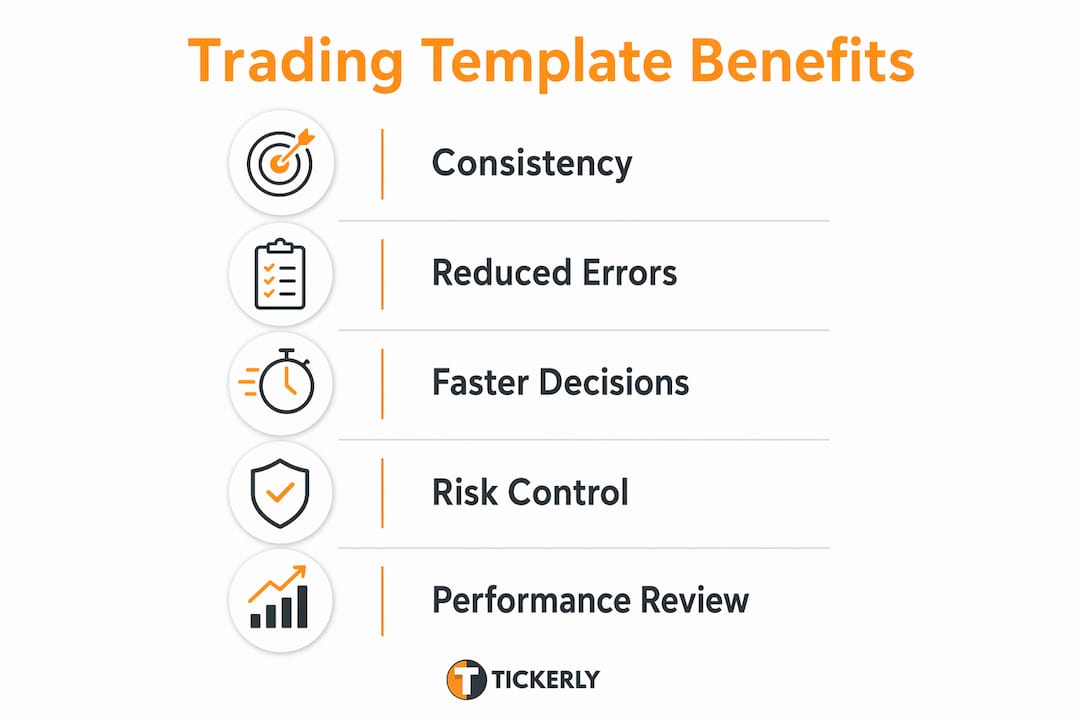
Trading templates are structured frameworks that standardize your chart layouts, entry and exit rules, risk parameters, and review cycles into repeatable, rule-based processes. Every serious trader who wants to know why use trading templates will find the same answer: templates remove the guesswork from live decision-making, replacing emotional reactions with pre-defined criteria. Tools like TradingView, Excel, Google Sheets, and Notion all support template-based workflows that reduce setup drift and enforce discipline across every session. The result is measurable, comparable performance data you can actually learn from.
Why use trading templates to improve consistency and reduce mistakes?
Consistency is the single biggest edge most traders never fully develop. Templates enforce it by locking in your chart layouts, indicator parameters, and alert naming conventions before the market opens. When your TradingView workspace is pre-configured with stable presets, you are not rebuilding your setup under pressure. You are executing a plan you already tested.

Setup drift is one of the most underestimated performance killers in active trading. It happens when you tweak indicator settings session by session, making your results incomparable and your edge invisible. A template with 2 to 3 fixed layouts, each with a specific objective, eliminates that problem entirely.
Templates also reduce cognitive load during live trading. When your scan layout, execution layout, and post-trade review layout are all pre-built, your mental energy goes toward reading price action, not configuring tools. This matters most in fast markets where crypto, forex, and equities can move significantly in seconds.
- Scan layout: Pre-set screener filters and watchlist columns for identifying setups before the session
- Execution layout: Fixed chart timeframes, indicators, and alert triggers ready to fire
- Review layout: Post-trade annotation tools and journal entry fields open by default
Standardizing alert text is one of the most overlooked benefits of trading templates. Consistent alert naming reduces duplicate triggers and tells you instantly what action is expected when an alert fires. That clarity is worth more than any additional indicator.
Pro Tip: Build your alert naming convention into your template before you go live. A format like “TICKER_SETUP_DIRECTION” (e.g., BTCUSD_BREAKOUT_LONG) makes alert management fast and unambiguous during high-volume sessions.
What are the key components of an effective trading plan template?
A trading plan template is not a general statement of intent. It is a precise document that defines exactly how you trade, under what conditions, and with what risk parameters. Without a written plan, you cannot accurately grade your own performance. The plan becomes both your accountability tool and your safety net.
Every effective trading plan template contains six core components:
- Setup definitions: Precise entry criteria, including price action conditions, indicator signals, and timeframe confluence. Vague setups like “bullish momentum” are not tradeable. Specific setups like “RSI above 50 on the 1-hour with a breakout above the prior day’s high” are.
- Entry and exit rules: Exact trigger conditions for entering a trade and pre-defined targets and stop levels. These must be written before the trade, not adjusted during it.
- Position sizing formula: A fixed calculation tied to account size and risk per trade. Most disciplined traders risk 0.5% to 2% of capital per position.
- Daily and weekly loss limits: Hard caps that stop trading when reached. These are non-negotiable rules, not suggestions.
- Performance grading criteria: A scoring system that separates execution quality from P&L. A trade can follow all rules and still lose money. Your template should reward rule adherence, not just profitable outcomes.
- Review schedule: Daily, weekly, and monthly checkpoints built into the template to force structured reflection.
Keeping your plan to three setups or fewer prevents decision paralysis during live sessions. More setups mean more ambiguity, and ambiguity during live trading leads to impulsive entries. Fewer setups mean deeper mastery of each one.
Pro Tip: Write your trading plan as if you are explaining it to someone who has never seen your charts. If you cannot describe your setup in two sentences, it is not specific enough to trade consistently.
How do trading journal templates contribute to performance improvement?
A trading journal is the biggest differentiator between traders who improve and those who remain stagnant. It reveals real patterns through structured, honest measurement that memory alone cannot provide. A journal template gives that measurement a consistent format so your data is comparable across weeks and months.
Every journal entry should capture the following:
- Setup name: Which template setup triggered the trade
- Entry and exit prices: Exact levels, not approximations
- P&L: Both dollar amount and percentage of account
- Execution quality score: Did you follow your rules exactly?
- Emotional state: Pre-trade and post-trade notes on confidence, hesitation, or overconfidence
- Screenshot or chart annotation: Visual record of the setup at entry
Structured review cycles drive the real learning. Daily journaling captures execution quality while the trade is fresh. Weekly reviews identify your best and worst setups by comparing outcomes across similar conditions. Monthly reviews reshape your strategy based on actual trade data, not assumptions.
Comparing popular journaling tools
| Tool | Strengths | Limitations |
|---|---|---|
| Excel | Fully customizable, offline access, powerful formulas | Manual data entry, no built-in visualization |
| Google Sheets | Cloud-based, shareable, free | Slower with large datasets, limited charting |
| Notion | Flexible layout, links notes to trades, great for qualitative data | No native financial calculations without workarounds |
Each tool works. The right choice depends on whether you prioritize calculation power (Excel), accessibility (Google Sheets), or qualitative depth (Notion). Many traders use a combination, capturing trades in Google Sheets and adding context in Notion.
Why are template-based risk management frameworks essential for trading survivability?
Risk parameters are the only part of trading you fully control. Defining them in templates beforehand removes the possibility of emotionally driven risk-taking in the heat of a losing session. A template that embeds your risk rules forces you to confront them before the trade, not after.
A complete risk management template covers four layers:
- Position sizing: A fixed formula, such as (Account Size × Risk %) ÷ (Entry Price minus Stop Price), calculated before every trade
- Stop loss placement: Pre-defined based on technical levels, not arbitrary dollar amounts
- Daily loss limit: A hard cap, for example a 3% daily loss cap on a $50,000 account equals $1,500. When that limit is hit, trading stops for the day, no exceptions
- Drawdown management: Weekly and monthly loss thresholds that trigger a strategy review before further trading
The daily loss cap is the most critical element. Without it, a bad morning can turn into an account-threatening afternoon. Traders who embed this rule into a pre-session checklist template are far less likely to override it under pressure because the decision was already made before emotions entered the picture.
Pre-trade checklist templates enforce go/no-go decisions rapidly. If checklist conditions are not met, the trade is skipped. If you find yourself moving a stop loss because of emotional discomfort rather than technical invalidation, the template flags it as a rule break. That audit trail is what separates disciplined traders from reactive ones.
You can also use templates to compare planned risk versus actual risk post-trade. If your template specified a 1% risk and your actual execution risked 1.8%, that discrepancy is visible and measurable. Over 50 to 100 trades, those discrepancies reveal behavioral patterns you can correct.
How to implement and optimize trading templates for your strategy
Building a template is straightforward. Making it stick requires a different approach. The most common failure mode is creating a template that is too detailed to complete consistently. A high completion rate is more valuable than a comprehensive template that gets abandoned after two weeks.
Follow this sequence when implementing templates:
- Start minimal: Build the simplest version of each template that captures the data you actually need. For a journal, that might be setup name, entry, exit, P&L, and one qualitative note.
- Separate fast and slow reviews: Daily entries should take under five minutes. Weekly pattern reviews take 30 to 60 minutes. Monthly strategy reviews take two or more hours. Mixing these timeframes into one template creates clutter and reduces completion rates.
- Run for 50 to 100 trades before changing anything: Template changes based on fewer trades reflect noise, not signal. You need sufficient data to know whether a template element is genuinely unhelpful or just uncomfortable.
- Add a pre-trade checklist: Before every session, run through your setup criteria, risk limits, and emotional state check. This takes two minutes and prevents the majority of impulsive trades.
- Audit your templates monthly: Review which fields you consistently fill out and which you skip. Remove the skipped fields or replace them with something more useful.
Pro Tip: Automate your trading strategy documentation wherever possible. Connecting your TradingView alerts to a bot via Tickerly means your execution data is captured automatically, reducing the manual burden on your journal template and improving data accuracy.
Key takeaways
Trading templates work because they move critical decisions out of emotional, real-time moments and into pre-defined, rule-based frameworks that are measurable and repeatable.
| Point | Details |
|---|---|
| Consistency over complexity | Two to three fixed layouts with stable presets outperform elaborate setups that change session to session. |
| Written plans enable grading | Without a written trading plan, you cannot accurately measure execution quality or separate skill from luck. |
| Journal cadence matters | Separate daily captures from weekly and monthly reviews to sustain useful pattern detection over time. |
| Risk rules belong in templates | Embedding daily loss limits and position sizing formulas in checklists prevents emotional overrides under pressure. |
| Completion rate determines value | A simple template used consistently delivers more analytical value than a detailed one used sporadically. |
Templates work, but only if you actually use them
I have reviewed trading setups from hundreds of traders, and the pattern is always the same. The traders who improve fastest are not the ones with the most sophisticated indicators or the most complex Pine Script strategies. They are the ones who complete their journal every single day, follow their pre-trade checklist without exception, and review their data on a fixed schedule.
The biggest mistake I see is traders building elaborate templates in Notion or Excel, spending a weekend on the design, and then abandoning them within a month because the template is too time-consuming to fill out consistently. A template you use 90% of the time is worth ten times more than a perfect template you use 30% of the time.
The second mistake is changing templates after a losing streak. Losses create emotional pressure to “fix” something, and the template becomes the target. But if your template is based on sound rules, the right response to a losing streak is to review whether you followed the template, not to rewrite it. Emotional template changes destroy the data continuity you need to identify real patterns.
Standardizing your alert naming convention in TradingView is one of the highest-leverage improvements most traders overlook. When your alerts fire with clear, consistent text, you know exactly what action is required without re-reading the chart. That speed advantage compounds over hundreds of trades.
Start with the minimum viable template. Add complexity only when your data tells you to.
— Jay
Take your templates further with Tickerly
If you are already using TradingView templates and want to remove the manual execution step entirely, Tickerly connects your Pine Script strategies directly to automated trading bots that execute in real time across crypto, forex, and stock exchanges. Your risk limits, alert triggers, and position sizing rules translate directly into bot parameters, so the discipline you built into your templates carries through to every trade automatically.

Tickerly also supports journal automation by capturing execution data from your bots, reducing the manual burden on your journal template and improving data accuracy across sessions. For traders running multiple strategies simultaneously, this means your review cycles are based on complete, reliable data rather than manually entered approximations. Explore how Tickerly turns your template-based strategy into a fully automated trading system.
FAQ
What are trading templates used for?
Trading templates are pre-built frameworks that standardize chart layouts, trade setups, risk rules, and journal entries. They remove real-time decision-making from emotional moments and replace it with pre-defined, rule-based criteria.
Should I use trading templates if I am a beginner?
Yes. Beginners benefit most from templates because they enforce discipline before bad habits form. Starting with a simple six-part trading plan and a basic journal template builds the foundation for measurable improvement from your first trades.
How many setups should a trading template include?
Keeping your plan to three setups or fewer prevents decision paralysis during live sessions. Fewer setups allow deeper mastery and cleaner data for performance review.
What is the best tool for a trading journal template?
Excel, Google Sheets, and Notion each work well depending on your priorities. Excel offers the most calculation power, Google Sheets provides cloud access and shareability, and Notion handles qualitative trade notes and linked documentation most effectively.
How often should I update my trading templates?
Update templates only after reviewing at least 50 to 100 trades of data. Changes based on fewer trades typically reflect emotional reactions to short-term results rather than genuine structural improvements to your process.