

TL;DR:
- Server-based automation uses software workflows to perform server tasks without manual input. It enhances control by ensuring consistent, auditable operations at scale, with proper governance.
Server-based automation is the use of software-driven workflows to automatically perform server tasks like provisioning, patching, and monitoring without human intervention. The industry term for this practice is IT automation, and it covers everything from configuration management to log rotation and incident remediation. Server automation replaces manual routines with verified, consistent execution paths that produce auditable records every time. For IT professionals managing dozens or hundreds of servers, this shift from manual to automated operations is not optional. It is the difference between controlled infrastructure and constant firefighting.
What is server-based automation and how does it work?
Server-based automation is defined as software that executes server management tasks on a schedule or in response to system events, without requiring a technician to intervene. The standard industry term is IT infrastructure automation, though “server automation” is widely used in practice. Core tasks include provisioning new servers, applying security patches, monitoring resource usage, rotating logs, and triggering remediation scripts when thresholds are breached.
The automation layer sits between your infrastructure and your IT team. It receives instructions written in structured formats like YAML or JSON, executes them against target servers, and logs every outcome. Infrastructure automation tools like Terraform and Kubernetes manage provisioning and configuration across cloud and on-premises environments at scale. That scale matters because a single engineer cannot manually patch 300 servers in a maintenance window without making mistakes.
The core value is consistency. Every server receives the same configuration, applied the same way, every time. That consistency is what makes audits, compliance checks, and incident investigations manageable.
What are the main architectures of server-based automation?
Two primary architectures define how server automation communicates with target machines: agent-based and agentless. Understanding the difference helps you choose the right approach for your environment.

Agent-based architecture
Agent-based automation installs a persistent software agent on each target server. That agent communicates continuously with a central control system, receives instructions, executes tasks locally, and reports results back. The agent can act even when network connectivity is intermittent, making this architecture well-suited for on-premises environments with complex or legacy systems.
The tradeoff is overhead. Each agent consumes CPU and memory on the host server. You also need to maintain, update, and secure the agents themselves, which adds operational complexity.
Agentless architecture
Agentless automation communicates with target servers using standard protocols like SSH, WinRM, or REST APIs. No software is installed on the target. The control system connects, executes the task, and disconnects. This approach is preferred in cloud-native environments because it reduces the security surface and eliminates agent maintenance.
The tradeoff is that agentless tools depend on reliable network access and correct protocol configuration. If SSH is locked down or WinRM is misconfigured, the automation fails silently.
| Feature | Agent-based | Agentless |
|---|---|---|
| Installation required | Yes, on each server | No |
| Communication method | Persistent agent connection | SSH, WinRM, API |
| Best environment | On-premises, legacy systems | Cloud-native, modern stacks |
| Security overhead | Higher (agent attack surface) | Lower |
| Offline capability | Yes | Limited |
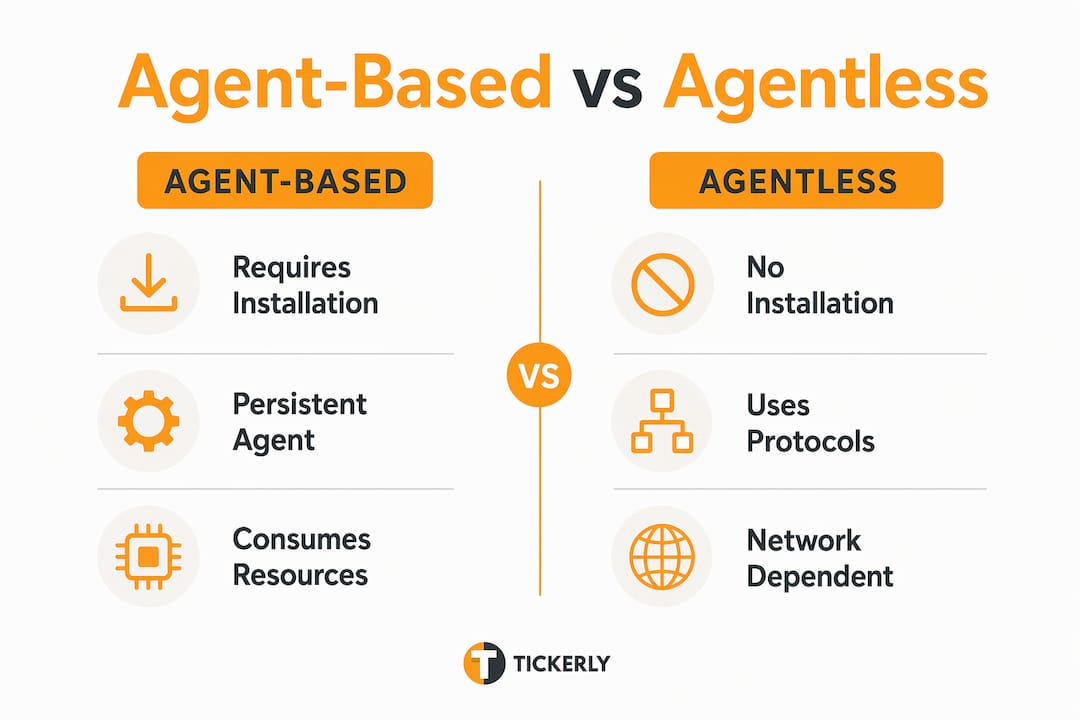
Both architectures are valid. Many enterprise environments run a hybrid, using agentless tools for cloud workloads and agent-based tools for legacy on-premises servers.
How does server-based automation work in typical IT workflows?
Automation workflows are sequences of tasks defined in code, executed in order, and logged for review. The most common tasks automated in server management include:
-
Provisioning: Spinning up new servers with predefined configurations, operating system images, and network settings.
-
Configuration management: Applying and enforcing consistent software settings across all servers in a fleet.
-
Patch management: Downloading, testing, and applying security updates on a defined schedule.
-
Monitoring and alerting: Checking CPU, memory, disk, and service health at regular intervals and triggering alerts when thresholds are exceeded.
-
Log rotation and cleanup: Archiving or deleting old log files to prevent disk exhaustion.
-
Remediation: Automatically restarting failed services or rolling back bad configurations when errors are detected.
These tasks are defined in playbooks or policy files written in declarative languages like YAML. A declarative approach means you describe the desired state of the server, and the tool figures out how to get there. This is fundamentally different from writing a shell script that executes commands in sequence.
Professional automation tools enforce idempotency, meaning you can run the same playbook ten times and the server ends up in the same state every time. Shell scripts do not guarantee this. A script that installs a package will fail or behave unpredictably if the package is already installed. A structured playbook checks the current state first and only acts if a change is needed. That reliability is what separates production-grade automation from ad hoc scripting.
Pro Tip: When automating patch management across a large fleet, use serial execution batching to update servers in small groups rather than all at once. This keeps capacity available behind your load balancer and prevents a bad patch from taking down your entire environment simultaneously.
Automation workflows also produce structured logs. Every task execution records a timestamp, the target server, the action taken, and the outcome. Those logs are the foundation of compliance reporting and post-incident analysis.
What are the key benefits and risks of implementing server-based automation?
The benefits of server-based automation are concrete and measurable. The risks are real but manageable with the right governance.
Core benefits:
-
Error reduction: Automation eliminates preventable downtime caused by manual mistakes. Human error is a leading cause of infrastructure outages, and automation removes the variability that makes manual processes unreliable.
-
Consistency at scale: Every server in your fleet receives identical configurations. There are no “snowflake” servers that were set up differently by a technician who has since left the company.
-
Operational visibility: Automated tasks produce logs and audit trails that manual processes never generate. You can see exactly what ran, when, and what it changed.
-
Faster recovery: Automated remediation scripts can restart a failed service in seconds. A manual process requires someone to notice the alert, log in, diagnose the issue, and act.
-
Team capacity: Automation frees skilled engineers from repetitive tasks so they can focus on architecture, planning, and incident response. This is not about replacing people. It is about giving them better work to do.
Key risks:
-
Blind trust: Teams that stop reviewing automation outputs miss configuration drift, failed tasks, and security gaps.
-
Cascading failures: A bug in an automation playbook can propagate across every server in a fleet simultaneously. Manual processes fail one server at a time.
-
Ownership gaps: Automation without a named owner becomes a black box. Nobody knows what it does, and nobody reviews it.
“Automation without oversight becomes a source of risk. Named ownership and scheduled reviews are not optional governance overhead. They are the mechanism that keeps automation working for you instead of against you.”
The solution is governance. Assign a named owner to every automation workflow. Set up failure alerts so broken automation is visible immediately. Schedule quarterly reviews to confirm that each workflow still reflects current requirements. Build rollback mechanisms so a bad automation run can be reversed without manual intervention.
Finance teams applying digital banking best practices face the same governance challenge: automation accelerates operations, but only disciplined oversight keeps it safe.
What practical steps should you take to implement server automation?
Starting server automation does not require a complete infrastructure overhaul. The most effective approach is incremental, beginning with tasks that are repetitive, high-risk, and easy to verify.
-
Identify your highest-pain manual tasks. Start with backups, patch reminders, and log rotation. These are tasks that cause small fires regularly, are easy to define, and deliver immediate, measurable value when automated.
-
Document current manual processes before automating them. You cannot write a reliable playbook for a process you have not fully mapped. Write out every step, every decision point, and every edge case before touching a line of YAML.
-
Assign clear ownership. Every automation workflow needs a named owner who is responsible for its accuracy, monitoring, and periodic review.
-
Test in a staging environment first. Never deploy new automation directly to production. Run it against a staging environment that mirrors production, verify the outcomes, and only promote it after validation.
-
Build failure alerts and rollback mechanisms from day one. An automation workflow without a failure alert is invisible when it breaks. A workflow without a rollback plan can leave servers in a broken intermediate state.
-
Scale gradually. Once your first automations are stable and trusted, expand to more complex workflows. Automation improves IT effectiveness by shifting decision-making from reactive firefighting to proactive control, but only when it is built on a foundation of reliable, well-governed workflows.
Pro Tip: Treat your automation code like application code. Store playbooks in version control, require peer review for changes, and tag every release. This gives you a complete history of what changed and when, which is invaluable during incident investigations.
The automation strategies for beginners principle applies here directly: start simple, prove value, then expand. The teams that fail at automation usually try to automate everything at once and end up with a fragile, unmanageable system.
Key Takeaways
Server-based automation delivers consistent, auditable operations at scale, but only when governed with named ownership, failure alerts, and scheduled reviews.
| Point | Details |
|---|---|
| Core definition | Server automation uses software workflows to execute server tasks without manual intervention. |
| Two architectures | Agent-based suits on-premises environments; agentless suits cloud-native stacks via SSH or API. |
| Idempotency is critical | Structured playbooks ensure repeated runs produce the same server state, unlike shell scripts. |
| Start with high-pain tasks | Automate backups, patching, and log rotation first to prove value before scaling. |
| Governance prevents risk | Named ownership, failure alerts, and rollback plans keep automation safe and auditable. |
Automation principles that apply beyond the server room
The logic behind server-based automation applies directly to trading operations. Manual execution is slow, inconsistent, and prone to error under pressure. Automated workflows remove that variability and let you operate at a speed and scale that manual processes cannot match.

Tickerly applies these same automation principles to trading. It converts your TradingView strategies into fully functional trading bots that execute in real time across crypto, forex, and stock markets. No manual order entry, no emotional interference, and no missed signals because you were away from your screen. If you want to understand why automated bots outperform manual trading in speed and consistency, Tickerly’s resource library covers the full picture, from bot setup to multi-strategy execution across multiple exchanges.
FAQ
What is server-based automation in simple terms?
Server-based automation is software that performs server management tasks like patching, provisioning, and monitoring automatically, without a technician doing the work manually. It replaces error-prone manual routines with consistent, auditable workflows.
What is the difference between agent-based and agentless automation?
Agent-based automation installs software on each target server to communicate with a control system, while agentless automation connects via standard protocols like SSH or API without installing anything on the server. Agentless is preferred in cloud environments; agent-based suits on-premises and legacy systems.
Why does idempotency matter in server automation?
Idempotency means running the same automation multiple times always produces the same result. Without it, repeated runs can cause configuration errors or failed installations, which is why structured tools like Ansible or Terraform are preferred over basic shell scripts.
What tasks should you automate first?
Start with backups, patch reminders, and log rotation. These tasks are repetitive, high-risk, and easy to verify, making them ideal for proving the value of automation before tackling more complex workflows.
How do you prevent automation from becoming a risk?
Assign a named owner to every workflow, configure failure alerts, build rollback mechanisms, and schedule regular reviews. Automation without oversight creates blind spots that can propagate failures across your entire infrastructure.