

Most traders know they should keep a trading journal. Far fewer actually do it consistently, and the reason is almost always the same: manual entry is slow, error-prone, and easy to skip after a losing session. Trading journal automation solves this problem at the root. Instead of copying trade data by hand into a spreadsheet, an automated trading journal pulls your execution data directly from your broker, tags it, analyzes it, and surfaces performance insights you would never find on your own. This guide covers exactly what that process looks like, why it matters, and how to set it up.
Table of Contents
Key takeaways
| Point | Details |
|---|---|
| Automation replaces manual entry | Automated journals sync trade data from your broker in real time, eliminating hand-logging entirely. |
| AI analysis goes beyond spreadsheets | AI-powered platforms run hundreds of metrics and natural language queries that no spreadsheet can match. |
| Time savings are immediate | Traders save approximately 15 minutes per session by switching from manual to automated journaling. |
| Tool selection matters | Choose based on broker support, asset class coverage, AI features, and pricing tier that fits your volume. |
| Data density beats mood tracking | Professional-grade journaling prioritizes objective trade data over subjective emotional notes. |
What trading journal automation actually is
At its core, trading journal automation is the process of replacing manual trade logging with software that automatically captures, imports, and analyzes your trade data. You connect your brokerage account to a journaling platform, and every execution, entry price, exit, size, P&L figure, and timestamp flows into your journal without you touching a keyboard.
That sounds simple, but the technology stack behind it is not. Modern platforms handle broker API integrations that pull data through direct connections or file-based imports. Top platforms offer automated imports at significant scale: one platform supports over 80 brokers, another over 200, and at least one supports over 700 broker connections. That breadth matters because your journal is only as good as its data completeness.
Beyond data import, automated trading journal software typically includes:
-
Real-time sync: Trade data appears in your journal seconds after execution, not hours later.
-
Automatic tagging: Platforms categorize trades by session, asset class, strategy, or pattern without manual input.
-
Performance dashboards: Win rate, average R-multiple, drawdown curves, and holding time distributions are calculated automatically.
-
Replay tools: Some platforms offer tick-by-tick trade replay at precision levels of 250ms, letting you watch exactly how a position played out.
-
AI-assisted reporting: Over 100 pre-built reports covering everything from time-of-day performance to maximum favorable and adverse excursion (MFE/MAE).
The difference between this and a spreadsheet is not marginal. Automated database query systems outperform spreadsheets in both speed and flexibility for any serious performance review.
Pro Tip: If your broker offers direct API access, prioritize platforms that use live API sync over CSV imports. Live sync catches partial fills, commission adjustments, and overnight position changes that CSV exports frequently miss.
Benefits that change how you trade
The most obvious trading journal benefit is time. Automated journaling saves roughly 15 minutes per session compared to manual entry. Across 200 trading days, that is 50 hours returned to you annually. Those hours compound into better analysis time rather than data entry time.
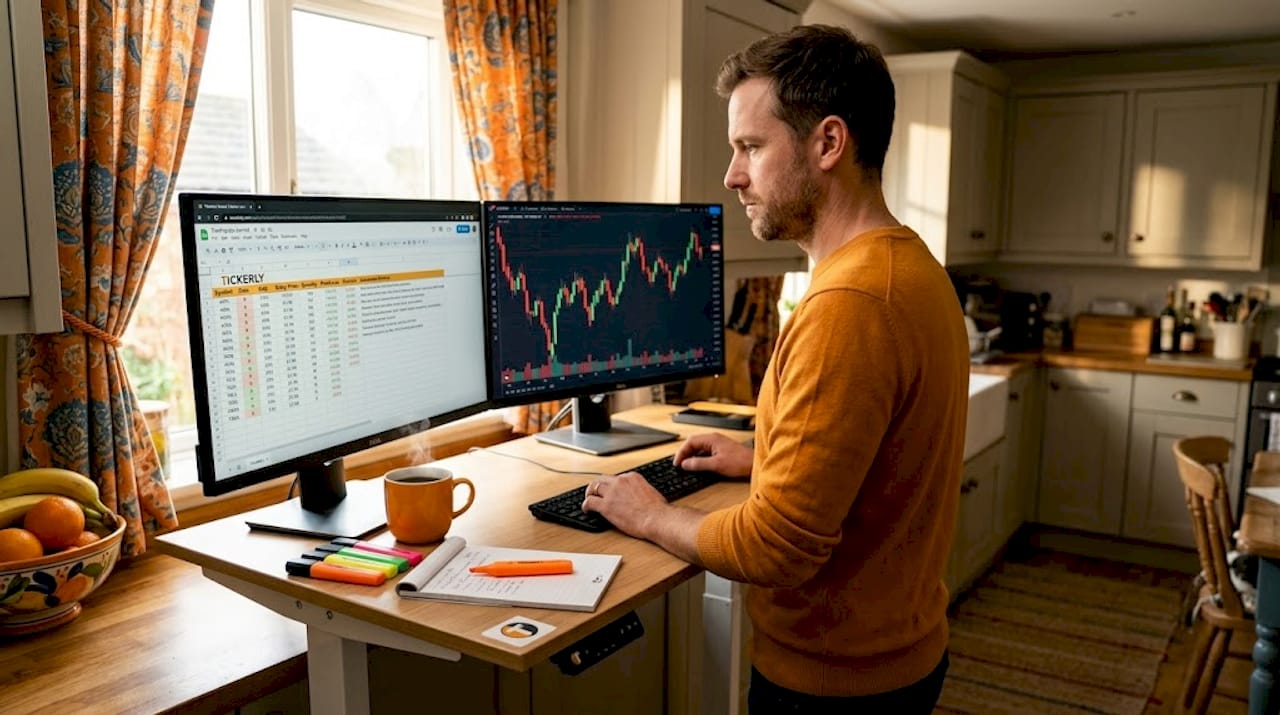
But the deeper benefit is analytical reach. Manual journaling, even done perfectly, is limited by what you choose to track and what you can calculate by hand. Automated journals surface patterns you would never think to look for.
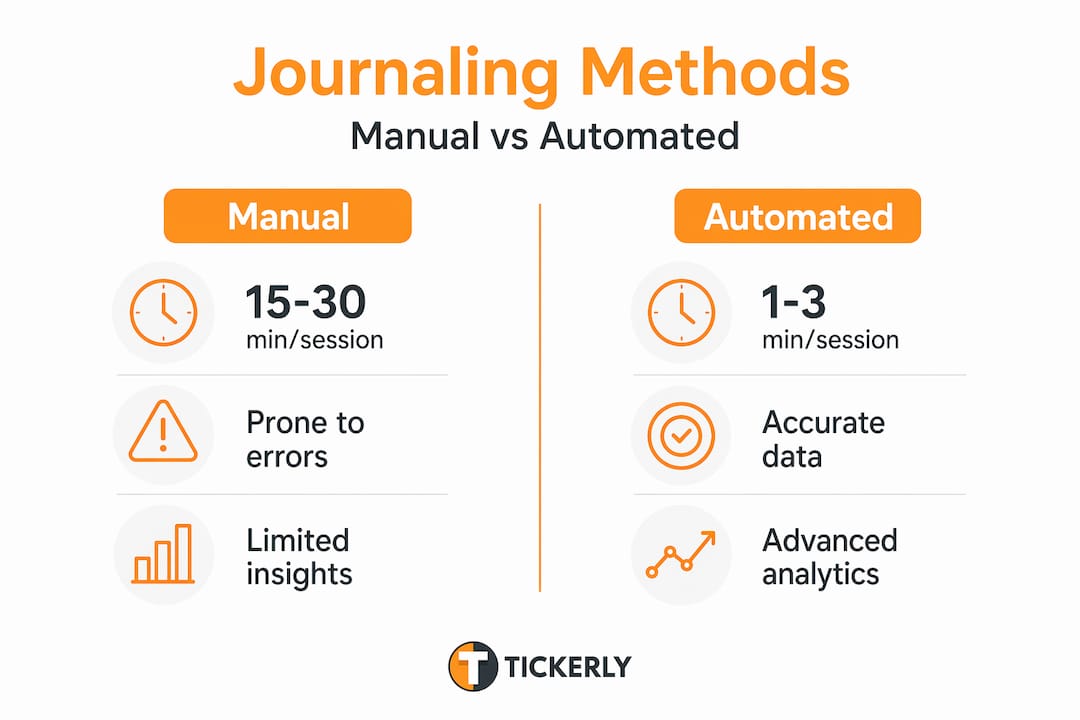
| Feature | Manual journal | Automated trading journal |
|---|---|---|
| Data entry time | 15-30 min per session | Near zero (auto-sync) |
| Broker integrations | None (manual copy) | 80-700+ connections |
| Metrics available | 5-10 basic stats | 100+ advanced reports |
| Trade replay | Not possible | 250ms precision available |
| Pattern detection | Subjective review | AI-assisted, objective |
| Consistency | Dependent on discipline | Automatic by design |
The consistency angle deserves more attention. Traders who journal manually tend to skip sessions after bad days, which is precisely when the most valuable data exists. Automation removes that friction entirely. The journal captures everything regardless of your emotional state.
There is also a discipline dimension that most traders overlook. Trading without measurement is like shaving without a mirror. You are operating without feedback, which makes genuine improvement nearly impossible. Automation solves this by making feedback automatic and objective.
Jack Kellogg, a trader who built a multi-million dollar career, attributes much of his success to extensive trade journaling. The volume of analyzed data he accumulated over time is not coincidental to his results. It is causal.
Pro Tip: Do not wait until you have a losing streak to review your journal. Schedule a weekly 30-minute review session and treat it as non-negotiable. Automated data means you spend that time on analysis, not on hunting down trade records.
Choosing and implementing the right software
Selecting trading journal software is not about picking the most popular name. It is about matching the platform’s capabilities to your actual trading context. Here are the criteria that matter most:
-
Broker and asset class support. Confirm your specific broker is supported before committing to any platform. If you trade futures, options, crypto, and equities across multiple accounts, you need a platform built for multi-asset, multi-account environments.
-
Automation depth. Distinguish between platforms that offer full API sync and those that rely only on CSV imports. CSV-based imports require manual file exports from your broker, which reintroduces friction.
-
AI and analytics features. Evaluate whether the platform offers natural language querying, AI-generated notes, and custom dashboard creation. Basic platforms cap out at win rate and average P&L. Professional-grade tools go far deeper.
-
Pricing model. Costs range widely from free basic tiers to over $100 per month for institutional-level analytics. Some platforms offer 10-day trials or one-time license fees around $99, which suits traders who dislike subscriptions.
-
Customization options. Look for platforms that let you define your own tags, custom fields, and query parameters. Your strategy taxonomy is unique to you. A rigid tagging system will eventually constrain your analysis.
Once you have selected a platform, the trading journal setup process typically follows this sequence:
-
Create your account and select your broker from the supported list.
-
Authenticate via API key or OAuth connection in your broker’s developer settings.
-
Set the sync frequency (real-time, hourly, or daily depending on your platform and trade volume).
-
Define your tagging structure. Create tags for each strategy, session type, or market condition you trade.
-
Import historical trades if the platform allows, to baseline your performance before automation begins.
-
Review your first week of automated entries to confirm data accuracy before relying on the analytics.
The most common pitfall at this stage is skipping step four. Traders who import data without a tagging structure end up with a perfectly captured, completely unorganized dataset that is hard to query meaningfully.
Advanced automation: AI and custom workflows
Once your journal captures clean, tagged data automatically, you can move into territory that most traders never reach. This is where how to automate trading journal workflows becomes genuinely powerful.
AI-powered natural language query engines let you ask questions like “What is my average R-value on trades taken before 10 AM versus after 2 PM?” and receive a chart in under 15 seconds. AI Q&A interfaces convert plain English queries directly into database lookups. That capability alone replaces hours of spreadsheet formula work per week.
Beyond platform-native AI, experienced traders build custom data pipelines that extend what any SaaS tool can offer. This typically involves:
-
Exporting trade data via API to a local database or cloud storage bucket.
-
Enriching that data with external sources like market fundamental APIs, news sentiment scores, or volatility indexes.
-
Running custom Python scripts to test hypotheses your journaling platform’s reports cannot address.
Combining broker exports with fundamental API data creates a context-rich journal that connects your execution decisions to the market environment at the time. That context is what separates surface-level pattern matching from genuine strategy refinement.
“Professional-grade journals must provide data density, contextual integration, global market reach, and robust automation. Criteria that disqualify many popular tools.” TradesViz, 2026
The key principle here is that data-centric journaling consistently outperforms mood-based logging. Emotional logs add processing cost and distract from the data-driven refinements that actually move the needle on performance.
My honest take on where journal automation matters most
I have watched traders pour time into journaling apps that looked sophisticated but delivered almost nothing, and I have seen others build career-defining clarity from clean automated data piped into a simple database. The tool itself is rarely what determines outcomes.
What I have found is that automation’s biggest gift is not the AI features or the 100-plus reports. It is the removal of the decision to journal at all. When data capture is automatic, you stop making excuses. The record exists whether you feel like reviewing it or not.
Where I see traders go wrong is treating automation as a finish line rather than a starting point. They set up auto-sync, watch the dashboard populate, and never build the habit of structured weekly review. The data sits there, accurate and complete, doing nothing. That is not an automation failure. That is a discipline failure that automation cannot fix.
My advice: before you invest in a platform, decide how you will use the data. What question about your trading do you most need answered? Build your tagging structure around that question. Then use automation to feed it relentlessly.
Volume of analyzed data does correlate with outcomes for serious traders. But volume of captured data without analysis is just digital clutter. Automation gives you the raw material. What you do with it is still entirely on you.
— Jay
Take your trading performance further with Tickerly
If you are ready to move into active automated execution, Tickerly connects directly to that goal. Tickerly turns your TradingView Pine Script strategies into fully automated trading bots that execute in real time, removing manual delays from both your trades and your records.

Whether you trade stocks, forex, or crypto, Tickerly’s broker-connected automation keeps your execution and data capture working together without gaps. You build the strategy in TradingView, connect through Tickerly, and your bot handles the rest.
Explore how automated bots improve performance and get answers to common setup questions through Tickerly’s automated trading FAQ. Starter options are available so you can verify the workflow fits your system before scaling.
FAQ
What is trading journal automation?
Trading journal automation is the process of using software to automatically capture, sync, and analyze your trade data from connected broker accounts, eliminating manual entry entirely.
How do I automate my trading journal?
Connect your broker to a journaling platform via API key or OAuth, configure your sync frequency, define your tagging structure, and let the platform import and categorize trades automatically.
What is the best trading journal software for automation?
The best choice depends on your broker, asset class, and analytical needs. Look for platforms with direct API sync, multi-asset support, AI querying, and a pricing tier that matches your trade volume.
How much time does automated journaling save?
Automated tools save approximately 15 minutes per session compared to manual record-keeping, which adds up to roughly 50 hours annually across a standard trading year.
Can I build a custom automated trading journal?
Yes. Advanced traders combine broker API exports with external data sources and custom scripts to build context-rich, fully customized journaling pipelines that go beyond what SaaS platforms offer out of the box.