

Manual trade exits are one of the most common reasons traders leave money on the table. You watch a position run past your target because you hesitated, or you get stopped out late because you were away from the screen. Automating your exits removes that friction entirely. With Pine Script and TradingView’s alert system, you can define precise exit rules that execute without hesitation, every single time. This guide covers the prerequisites, a step-by-step workflow, exit strategy selection, backtesting best practices, and the edge cases that trip up even experienced traders.
Table of Contents
- What you need to automate trade exits in TradingView
- Step-by-step process for automating trade exits
- Choosing and optimizing exit strategies: Stops, targets, and timing
- Testing, verification, and handling edge cases
- Expert perspective: Why simple automated exits often win
- Streamline your TradingView automation with Tickerly
- Frequently asked questions
Key Takeaways
| Point | Details |
|---|---|
| Start with Pine Script basics | Understanding Pine Script is essential for automating trade exits on TradingView. |
| Prioritize robust backtesting | Always test exit strategies with conservative and realistic settings before live trading. |
| Apply dynamic stop-losses | ATR-based and trailing stops adapt better to market volatility and trends. |
| Automate via alerts and API | Combining TradingView alerts with broker APIs enables fully automated, efficient trade exits. |
| Keep exits simple and consistent | Simple, filter-based automated exits outperform complex systems and help maintain discipline. |
What you need to automate trade exits in TradingView
Now that you understand why automation matters, let’s look at what you need for a seamless setup.
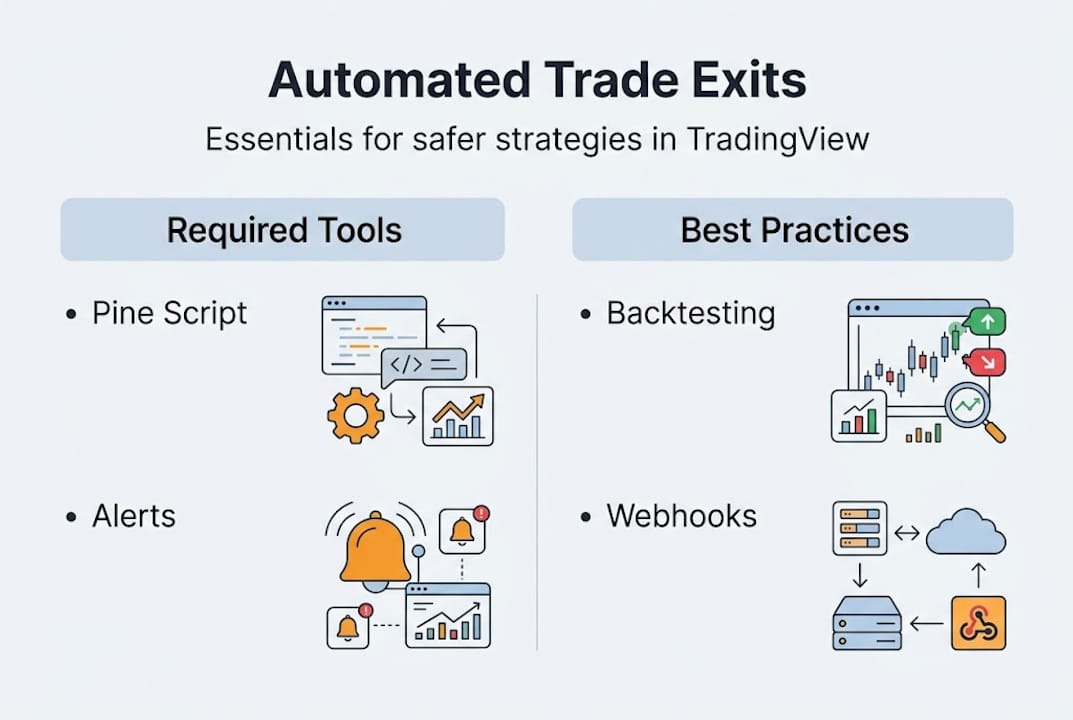
Automated trade exits in TradingView are built on two core Pine Script functions. As documented by Pineify, strategy.exit and strategy.close are the primary tools for stop-loss, take-profit, trailing stops, and conditional or time-based exits. Knowing when to use each one is your first technical hurdle.
Before you write a single line of code, make sure you have the following in place:
- TradingView account: A paid plan (Pro, Pro+, or Premium) is strongly recommended. Free accounts limit the number of active alerts, which breaks automation in live conditions.
- Pine Script knowledge: You need a working understanding of strategy scripts, not just indicator scripts. These are different in TradingView.
- Broker or execution layer: TradingView does not send orders directly to brokers for most users. You need an intermediary service or a broker with native TradingView integration.
- Webhook-capable alert setup: Your alerts must be configured to fire JSON payloads to an external endpoint. This is how automating trading on TradingView actually works in practice.
Here is a quick comparison of TradingView plan features relevant to exit automation:
| Feature | Free | Pro | Pro+ / Premium |
|---|---|---|---|
| Active alerts | 1 | 20 | 400+ |
| Webhook support | No | Yes | Yes |
| Strategy backtesting | Limited | Full | Full |
| Pine Script v5 | Yes | Yes | Yes |
For TradingView bot alerts to fire reliably, you also need to understand how TradingView automated exits interact with your broker’s order management system. Latency between alert firing and order execution can range from milliseconds to several seconds depending on your setup.
Pro Tip: Always test your exit scripts on a paper trading or demo account before deploying live. A logic error in strategy.exit can cause unintended position behavior that is difficult to diagnose under live market conditions.
Step-by-step process for automating trade exits
With your tools ready, here’s exactly how to build an automated exit workflow from start to finish.
- Write your Pine Script strategy. Define your entry logic first, then add strategy.exit or strategy.close calls. Specify parameters like stop, limit, trail_price, or trail_offset directly in the function call.
- Add the script to a chart. Apply your strategy to the relevant instrument and timeframe. Confirm the Strategy Tester shows expected exit behavior before moving forward.
- Configure TradingView alerts. Go to the Alerts panel, select your strategy, and choose the exit condition. Enable the Webhook URL option and paste your intermediary service endpoint. Learn more about setting up TradingView alerts for the correct JSON payload format.
- Connect to an intermediary service. For live automation, strategies generate webhooks sent to third-party services like TradersPost, Signum, or PickMyTrade, which then execute exits via your broker’s API.
- Authenticate your broker API. Each service has its own OAuth or API key setup. Follow their documentation carefully and restrict API permissions to trade execution only, never withdrawal access.
- Run a forward test. Use a small position size in a live or paper environment. Confirm that exit alerts fire, reach the intermediary, and result in actual order fills.
Here is a comparison of common intermediary services for TradingView auto trading:
| Service | Supported brokers | Ease of setup | Cost |
|---|---|---|---|
| TradersPost | Alpaca, TD, Webull | Moderate | Paid tiers |
| PickMyTrade | Zerodha, Angel | Moderate | Paid tiers |
| Tickerly | Multiple | Simple | Competitive |
Many traders also discuss their automating TradingView strategies setups in community forums, which can surface practical gotchas not covered in official documentation.
Pro Tip: Backtest your exit logic with realistic commission and slippage settings before validating alerts. A strategy that looks profitable in zero-cost backtesting often underperforms once real execution costs are factored in.
Choosing and optimizing exit strategies: Stops, targets, and timing
Having covered the process, let’s dig into how to pick and optimize smart automated exit strategies for diverse market conditions.

Not all exit methods perform equally across different market environments. According to Pineify’s guide on automated risk management, common methodologies include fixed percentage stops, ATR-based dynamic stops, trailing stops, partial profit-taking at multiple levels, break-even moves, and time-based exits after N bars or session end. Each has a specific use case.
Here is how to think about each approach:
- Fixed percentage or points: Simple and predictable. Best for ranging markets where volatility is stable. Easy to backtest and explain.
- ATR-based dynamic stops: The Average True Range (ATR) measures recent volatility and adjusts your stop distance accordingly. When the market gets choppy, your stop widens. When it calms, it tightens. This prevents premature stop-outs during normal price fluctuation.
- Trailing stops: These lock in profits as price moves in your favor. Ideal for trending markets. The risk is that a sharp reversal can still take back a significant portion of open profit before the trail triggers.
- Partial exits: Taking 50% off at the first target and letting the rest run is a disciplined way to secure gains while maintaining upside exposure. Pine Script supports this natively via qty_percent in strategy.exit.
- Break-even moves: Once price reaches a defined level, the stop is moved to entry. This eliminates downside risk on winning trades without closing the position.
- Time-based exits: Closing positions at session end or after a fixed number of bars prevents overnight or weekend gap risk.
“Combining multiple exit types, such as a hard stop-loss with a trailing component and a session-close filter, typically produces more robust results than relying on a single exit mechanism.”
For optimizing trading strategies in volatile conditions, consider reviewing exit optimization tips from practitioners who have stress-tested these methods across different asset classes.
Pro Tip: When using ATR-based stops, start with a multiplier between 1.5 and 2.5 for intraday strategies and 2.5 to 4 for swing trades. Adjust based on your backtest drawdown results, not intuition.
Testing, verification, and handling edge cases
Once your exits are set up, validating their performance and troubleshooting pitfalls is crucial for reliability and confidence.
The TradingView Strategy Tester gives you access to key backtesting metrics including net profit, win rate, profit factor, maximum drawdown, and Sharpe ratio. There are no universal benchmarks. What matters is that your strategy performs consistently across different market periods, not just the one you optimized for.
Key metrics to evaluate:
- Net profit: Total return after commissions and slippage.
- Maximum drawdown: The largest peak-to-trough loss. Keep this within your personal risk tolerance.
- Win rate: Percentage of winning trades. A 40% win rate can still be profitable with a strong risk-to-reward ratio.
- Profit factor: Gross profit divided by gross loss. Anything above 1.5 is generally worth investigating further.
- Sharpe ratio: Risk-adjusted return. Higher is better, but context matters.
| Metric | What to watch for |
|---|---|
| Net profit | Consistent across in-sample and out-of-sample periods |
| Max drawdown | Should not exceed your account risk tolerance |
| Profit factor | Target above 1.3 to 1.5 for live consideration |
| Sharpe ratio | Above 1.0 is acceptable; above 2.0 is strong |
Edge cases are where most automated exit systems fail silently. As documented in TradingView’s community scripts, exact equality triggers can miss trades due to floating-point precision issues. Use tolerance bands instead of exact price comparisons. Session filters prevent exits from firing outside your intended trading hours. Cooldown periods stop alert spam from rapid signal oscillation. Streak cutoffs pause the system after a defined number of consecutive losses, protecting your account during adverse conditions.
“In live trading, always use more conservative settings than your backtest suggests. Slippage, latency, and real-world spread will erode performance in ways the Strategy Tester cannot fully replicate.”
For deeper guidance on strategy performance metrics and how to interpret them, reviewing strategy testing tips from practitioners will sharpen your validation process.
Expert perspective: Why simple automated exits often win
Let’s step back and examine a hard-won principle from real-world trading automation.
There is a common trap in automated exit design: the more conditions you add, the more confident you feel, and the worse your live results become. Traders spend weeks building elaborate exit systems with five or six filters, only to discover that a two-condition setup with a solid ATR stop outperforms it on real data.
As experienced TradingView bot traders have noted, simple consistent strategies with volume or volatility filters outperform complex ones in live conditions. The reason is overfitting. Complex exits fit historical noise rather than real market structure.
The TradingView community has also observed that simpler exits often outperform complex multi-condition systems, particularly when combined with realistic slippage and commission assumptions during backtesting.
Our view at Tickerly: automate the discipline, not the complexity. A fixed ATR stop, a session-close filter, and a break-even move cover the majority of exit scenarios most traders actually face. Build that first. Prove it works. Then add one layer at a time, and only if the data supports it. For long-term automation insights, the pattern is consistent: restraint in design produces resilience in execution.
Streamline your TradingView automation with Tickerly
If you’re ready to put these automation strategies to work, here’s how Tickerly can help.
Tickerly turns your TradingView strategies into a fully automated trading bot, handling the webhook routing, broker connectivity, and execution layer so you can focus on strategy design. Whether you’re just getting started with algotrading on TradingView or refining a system you’ve already backtested, Tickerly simplifies the entire pipeline.
Explore our automated trading FAQ for answers to the most common setup questions, or follow our step-by-step guide to automate TradingView with Tickerly and get your first automated exit live faster than you’d expect.
Frequently asked questions
Do I need a paid TradingView plan to automate trade exits?
For full automation, a paid TradingView plan is recommended because it supports unlimited alerts and webhook access. Free accounts have alert limitations that make reliable exit automation impractical.
Can automated trade exits work with any broker?
They work with brokers that support API integrations or third-party execution via webhooks. As noted in Pine Script automation documentation, webhooks reach broker APIs through intermediary services, so check compatibility before committing to a setup.
What is the best exit method for volatile markets?
ATR-based dynamic stops are preferred for volatile markets because they adapt to price swings. Pineify confirms that ATR stops adapt to volatility and are favored for dynamic market conditions.
How do I avoid errors when automating exits?
Use tolerances for price matching, session filters for time zones, and cooldowns to prevent signal spam. Exact equality triggers can miss trades due to floating-point precision, so tolerance-based comparisons are safer.
Is backtesting automated exits necessary?
Backtesting is essential for verifying performance and optimizing settings before going live. Backtesting metrics like net profit, win rate, profit factor, and drawdown are the foundation of any credible exit strategy validation.