

For TradingView users who need fast, multi-strategy execution and simple Pine Script automation, Tickerly is the recommended pick among the best crypto trading bots on the market right now. If you trade off TradingView alerts and want them converted into live orders without a coding project, it solves that specific problem better than platforms built around their own internal strategy engines.
That said, “best” is not a single answer. Industry analysis consistently shows the right bot depends on your strategy: active traders benefit from multi-exchange control and deep customization, while beginners are better served by pre-built, plain-English templates. Here’s the quick shortlist:
- Best for TradingView automation: Tickerly, for converting Pine Script alerts into executable multi-exchange trades.
- Best overall for active traders: 3Commas, for deep DCA and grid customization across exchanges.
- Best for beginners: Coinrule, for no-code, plain-English rule building.
- Best AI-driven autopilot: Cryptohopper, for its marketplace and Algorithm Intelligence strategy rotation.
- Best free/in-exchange option: Pionex, for built-in bots with no separate subscription.
- Best for advanced customization: HaasOnline, for scriptable strategy logic and market making.
A 90-day side-by-side live test of identical grid and DCA configurations found that net returns varied significantly across platforms once fees were factored in. This is the real lesson here: the sticker price on a subscription rarely tells you what you’ll actually keep. As AI-driven trade suggestions become more common in these tools, it’s worth judging them against the transparency and testing standards laid out in NIST’s guidance on trustworthy AI systems rather than taking marketing claims at face value. The EU AI Act is also starting to shape how AI trading features get disclosed, and that trend will likely spread beyond Europe.
Key Takeaways
The best crypto trading bot for you depends on whether your priority is TradingView execution speed, low-code simplicity, or deep multi-exchange customization.
| Point | Details |
|---|---|
| Match bot to strategy | Active traders need multi-exchange control; beginners do better with plain-English templates like Coinrule. |
| Fees erode returns | Frequent grid trades on exchange-native bots like Pionex can accumulate per-trade fees that offset a low subscription cost. |
| Security starts with API scope | Always use trade-only API keys with withdrawals disabled, plus 2FA and IP allowlisting where available. |
| Test before you commit capital | Use paper trading or backtesting on any platform, then start with a small live allocation. |
| Tickerly fits the TradingView workflow | For traders converting Pine Script alerts into live multi-exchange execution, Tickerly is the most direct fit among the compared platforms. |
Table of Contents
- Best Crypto Trading Bots Compared at a Glance
- Short Reviews of Every Top Crypto Trading Bot
- How Do You Choose the Right Crypto Trading Bot?
- How We Evaluated These Bots and What Safety Steps Matter
- When Tickerly Is the Right Automation Choice
- Sources
- FAQ
Best Crypto Trading Bots Compared at a Glance
Here’s how the fourteen platforms stack up across the dimensions that actually affect your results: use-case fit, cost structure, exchange reach, and how much oversight the platform demands from you.
| Platform | Best For | Pricing / Free Tier | Exchanges & Integrations | Key Features |
|---|---|---|---|---|
| Tickerly | TradingView users, Pine Script developers | 30-day free trial, tiered subscription | Multi-exchange via API, MT4/MT5 support | Alert-to-execution automation, unlimited strategies |
| 3Commas | Experienced multi-exchange traders | Free tier limited; paid tiers scale with bots | Wide exchange support | SmartTrade, DCA/grid, TradingView signal routing |
| Cryptohopper | Traders wanting ready-made strategies | Free trial; paid monthly tiers | Broad exchange coverage | Strategy marketplace, Algorithm Intelligence |
| Coinrule | Beginners avoiding code | Free tier available; paid tiers for volume | Major exchanges | Plain-English “if-then” rule templates |
| Pionex | Set-and-forget beginners | No separate subscription; per-trade fees | Native to Pionex exchange only | 16+ built-in bots, grid trading |
| Bitsgap | Multi-exchange portfolio management | Free trial; paid monthly tiers | Wide exchange support | Unified terminal, AI-assisted configs |
| TradeSanta | Quick cloud-hosted setup | Free tier limited; paid tiers | Major exchanges | Template-first bot creation |
| HaasOnline | Developers, advanced scripting | Paid tiers only | Wide exchange support | HaasScript, market-making tools |
| Shrimpy | Portfolio rebalancing and indexing | Free and paid tiers | Multi-exchange | Automated rebalancing, social trading |
| Altrady | Multi-exchange manual and automated traders | Paid tiers only | Wide exchange support | Smart trading terminal, portfolio tracking |
| Hummingbot | Developers wanting open-source control | Free, self-hosted | Exchange and DEX support | Market-making scripts, liquidity mining |
| Gunbot | Self-hosted advanced automation | One-time license fee | Wide exchange support | Custom strategies, TradingView webhooks |
| Mizar | Copy trading and signal following | Free tier; paid tiers | Major exchanges | Copy trading, TradingView integration |
| CryptoHero | Mobile-first simple automation | Free tier; paid tiers | Major exchanges | Mobile app bots, simple rule builder |
Fee structure matters more than the sticker price suggests. A major hidden cost for active grid traders is the cumulative drag of bot-triggered trading fees: frequent small trades can quietly compound into a meaningful chunk of your returns, even when the monthly subscription looks cheap. That’s part of why the platform reviews below flag pricing risk separately from the headline plan cost.
Security and custody models split roughly into two camps: API-only platforms that never touch your funds directly, and exchange-native bots where your assets sit inside the exchange’s own custody. Neither is inherently safer, but they carry different risk profiles worth understanding before you connect a live account.
Short Reviews of Every Top Crypto Trading Bot
Tickerly: Best for TradingView Automation
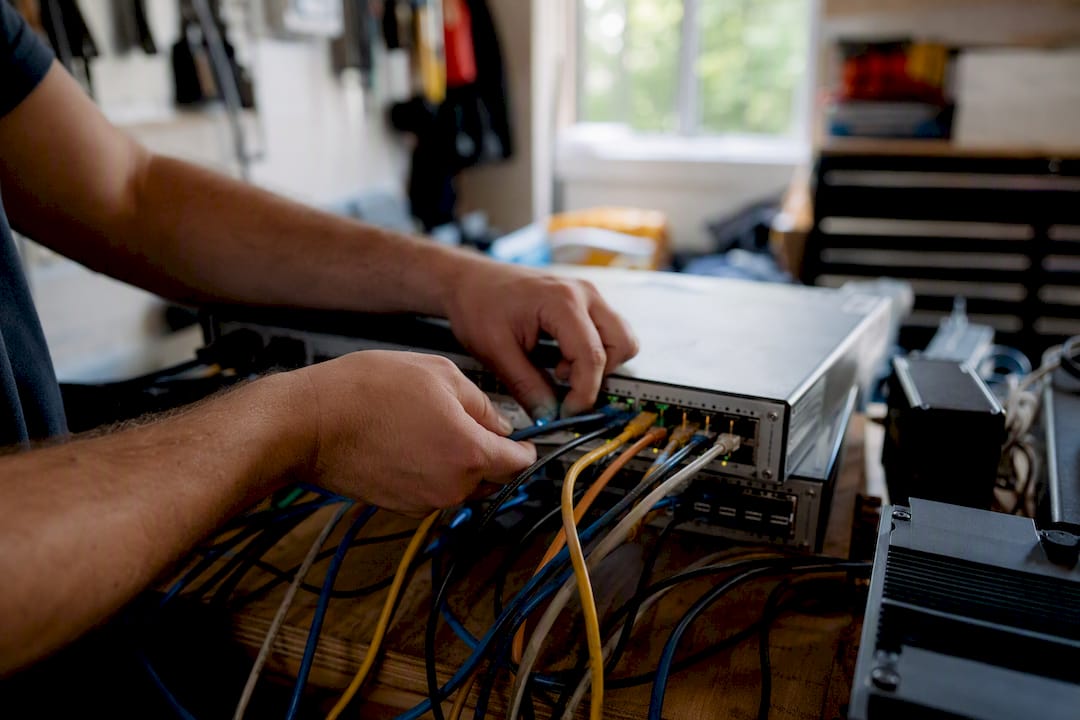
Tickerly’s core model is straightforward: it takes your TradingView alerts, including custom Pine Script logic, and turns them into executable orders across connected exchanges with minimal lag between signal and fill. That execution speed matters most to day traders who are chasing short-lived setups where a few seconds of latency changes the outcome.
It’s best for TradingView users and Pine Script developers who already have a strategy built and tested on the platform they trust, and just want it to trade without babysitting a chart all day. Pricing runs on tiered monthly and annual subscriptions scaled by asset classes, strategy count, and alert volume, with a 30-day free trial to test the connection before committing. Exchange coverage spans crypto, forex, stocks, futures, and prop firm accounts, plus MetaTrader 4/5 support, which is broader than most crypto-only bots on this list. A mobile-friendly dashboard lets you monitor alerts and execution logs without sitting at a desktop.
- Pros: Native TradingView alert integration, unlimited strategies and alerts, multi-asset support beyond crypto, no-code setup for non-developers.
- Cons: Requires an existing TradingView strategy or alert setup to get full value; not built for traders who want a pre-made strategy marketplace to browse.
Pro Tip: Run your first Tickerly connection with a single low-frequency strategy during the trial period, and watch the execution logs closely before scaling up to multiple concurrent strategies.
3Commas: Best Overall for Active Multi-Exchange Traders
3Commas built its reputation on SmartTrade workflows and highly tunable DCA and grid bots that work across a wide range of exchanges from one dashboard. It’s best for experienced traders who want granular control over entry, exit, and risk parameters, and who trade on more than one exchange at once.
Pricing follows a tiered subscription model with a limited free tier and paid plans that scale by the number of bots and features unlocked, plus TradingView signal routing for traders who already build alerts there. Editorial roundups of leading platforms consistently place 3Commas among the most feature-dense options for active traders, largely because of its composite bot options and backtesting suite. Paper trading and backtesting are supported, letting you validate a configuration before risking capital.
- Pros: Deep customization, strong multi-exchange coverage, mature backtesting tools.
- Cons: Steeper learning curve than beginner-focused tools, and the free tier is quite limited.
Cryptohopper: Best for Ready-Made Strategy Automation
Cryptohopper’s standout feature is its strategy marketplace combined with Algorithm Intelligence, which automatically rotates between strategies based on shifting market conditions. It’s best for traders who don’t want to build a strategy from scratch and would rather subscribe to a proven template and let the platform manage strategy switching.
Pricing runs on monthly tiers with a free trial period, and exchange coverage is broad across major centralized platforms. Mobile apps let you track hopper performance on the go. Backtesting is built in, letting you validate marketplace strategies against historical data before subscribing to a signal provider.
- Pros: Large strategy marketplace, AI-assisted strategy rotation, solid backtesting tools.
- Cons: Marketplace strategy quality varies widely, and the best signal providers often carry extra fees on top of the base subscription.
Coinrule: Best for Beginners Without Code
Coinrule strips automation down to plain-English “if this, then that” logic, which makes it the most approachable entry point on this list for someone who has never built a bot before. It’s best for beginners who want structured automation without touching a script editor.
A free tier covers basic rule usage, with paid tiers unlocking higher trade volume and more advanced templates. Exchange coverage includes major centralized platforms, and the rule templates cover common strategies like DCA and simple trend following.
- Pros: Genuinely no-code, reusable templates, gentle learning curve.
- Cons: Less customization depth than 3Commas or HaasOnline, and advanced traders will likely outgrow it quickly.
Pionex: Best Free or Low-Cost Option
Pionex runs its bots natively inside its own exchange, which eliminates the separate subscription fee that most other platforms charge. It’s best for new traders who want a set-and-forget bot without committing to a monthly plan, especially for simple grid strategies in sideways markets.
There’s no subscription cost, but per-trade fees apply on the exchange itself, and that distinction matters. Comparisons across vendor types show that exchange-native bots can be cheapest on subscription price, but per-trade costs compound for active grid strategies, which is exactly the fee-accumulation risk worth watching if you run a high-frequency grid.
- Pros: No subscription fee, over a dozen built-in bot types, simple setup.
- Cons: Locked to the Pionex exchange, limited customization compared to terminal-style platforms.
Bitsgap: Best for Unified Multi-Exchange Management
Bitsgap’s terminal consolidates multiple exchange accounts into a single dashboard with AI-assisted bot configuration suggestions. It’s best for traders juggling several exchange accounts who want one place to manage bots and portfolio balances.
Pricing is tiered monthly with a free trial, and exchange coverage is broad. Paper trading and demo modes let you test settings before going live, and mobile access covers basic monitoring.
- Pros: Strong cross-exchange visibility, AI-assisted setup suggestions, solid demo mode.
- Cons: Advanced strategy customization is shallower than 3Commas or HaasOnline.
TradeSanta: Best for Fast Cloud Setup
TradeSanta leans on cloud-hosted templates that get a bot running in minutes rather than requiring detailed configuration. It’s best for users who want straightforward automation without a long setup process.
A limited free tier is available, with paid plans scaling by bot count and exchange connections. Coverage includes major exchanges, and the template library covers common grid and DCA setups.
- Pros: Fast setup, low friction for first-time bot users.
- Cons: Fewer advanced features than terminal-style competitors, thinner community support.
HaasOnline: Best for Advanced Customization and Scripting
HaasOnline’s HaasScript engine gives developers fine-grained control over strategy logic, including market-making setups that most consumer-facing bots don’t support. It’s best for advanced traders and developers who want to write custom trading logic rather than choose from templates.
Pricing sits at the higher end with paid tiers only, no meaningful free tier. Backtesting and paper trading are robust, reflecting the platform’s developer-first orientation, and exchange coverage is wide across major centralized platforms.
- Pros: Deepest scripting control on this list, strong backtesting engine.
- Cons: Steep learning curve, higher price point than beginner or mid-tier tools.
Shrimpy: Best for Portfolio Rebalancing
Shrimpy focuses less on active trading signals and more on automated portfolio rebalancing and social trading features that let you follow other traders’ allocations. It’s best for traders who think in terms of portfolio weight rather than individual trade entries.
Both free and paid tiers exist, with multi-exchange support for syncing balances across accounts.
- Pros: Strong rebalancing automation, useful for passive multi-asset strategies.
- Cons: Not designed for active grid or scalping strategies.
Altrady: Best for Combined Manual and Automated Trading
Altrady positions itself as a smart trading terminal that blends manual order management with automated bots and portfolio tracking in one interface. It’s best for traders who split time between manual trades and automated strategies and want both in the same dashboard.
Paid tiers only, with wide exchange support across major centralized platforms.
- Pros: Strong terminal features for manual and automated trading side by side.
- Cons: No free tier, so there’s no cost-free way to test it first.
Hummingbot: Best Open-Source Option for Developers
Hummingbot is a free, self-hosted framework built for traders who want full control over strategy code without vendor lock-in. Open-source frameworks in this category, including Freqtrade, provide backtesting, paper trading, and machine-learning strategy optimization for developers willing to run their own infrastructure. It’s best for developers comfortable maintaining their own server and code.
- Pros: Free and open-source, strong market-making and liquidity-mining support, active developer community.
- Cons: Requires technical setup and ongoing maintenance; not beginner-friendly.
Gunbot: Best for Self-Hosted License-Based Automation
Gunbot uses a one-time license fee model instead of a recurring subscription, appealing to traders who want to avoid ongoing costs. It’s best for advanced users comfortable self-hosting the software and configuring custom strategies, including TradingView webhook triggers.
- Pros: One-time license instead of monthly fees, TradingView webhook support, wide exchange coverage.
- Cons: Self-hosting adds technical overhead, and support is community-driven rather than dedicated.
Mizar: Best for Copy Trading and Signal Following
Mizar centers on copy trading, letting users follow verified traders’ strategies alongside TradingView-based signal integration. It’s best for traders who’d rather follow a track record than build their own strategy from scratch.
Free and paid tiers are both available, with coverage across major exchanges.
- Pros: Transparent copy trading with visible track records, TradingView integration.
- Cons: Performance depends entirely on the strategy provider you follow.
CryptoHero: Best for Mobile-First Simple Automation
CryptoHero is built around a mobile app experience, making it the most accessible option for traders who want to set up and monitor bots from a phone rather than a desktop terminal. It’s best for casual traders who want simple rule-based bots without a steep learning curve.
Free and paid tiers exist, with coverage of major exchanges.
- Pros: Genuinely mobile-first design, simple rule builder.
- Cons: Limited depth for advanced strategy customization compared to desktop-first platforms.
How Do You Choose the Right Crypto Trading Bot?
Picking the right bot starts with your strategy, not the platform’s marketing page. A grid bot solves a different problem than a DCA bot, and a market-making script solves a different problem than either. Match the tool to what you’re actually trying to do before comparing price tags.
Run through this checklist before you commit to a subscription:
- Strategy fit. Confirm the platform actually supports your intended approach, whether that’s grid trading, DCA, market making, or arbitrage, rather than forcing your strategy into a template that doesn’t quite match.
- Capital and fee sensitivity. Estimate your expected trade frequency and check whether the platform charges per-trade fees, a flat subscription, or both, since high-frequency grid strategies can accumulate fee drag fast on exchange-native bots.
- Exchange compatibility. Verify the bot supports the specific exchange or exchanges where your capital sits, including any regional restrictions.
- Custody model. Decide whether you’re comfortable with an API-only connection that never holds your funds, versus an exchange-native bot where custody sits with the exchange.
- Backtesting and sandboxing. Confirm the platform lets you paper trade or backtest a configuration before risking real capital.
- Automation reliability. Check uptime history and whether the platform has a track record of maintenance windows that interrupt live trading.
Before you subscribe, ask the vendor directly: What API permissions does the connection require? Can withdrawals be disabled entirely? Is there a limit on trade frequency? Can you export trade history for your own backtesting analysis?
Watch for these red flags:
- No paper trading or demo mode available before going live.
- A connection process that requires withdrawal permissions, which no legitimate bot needs.
- An opaque fee schedule that isn’t clearly listed before signup.
- Marketplace strategies with no visible, verifiable performance history.
As a rough map: beginners tend to do best with Coinrule’s plain-English templates, active scalpers gravitate toward 3Commas or Bitsgap for multi-exchange control, long-term DCA builders often prefer Pionex’s built-in bots, liquidity providers lean toward Hummingbot or HaasOnline, and Pine Script developers get the most direct value from Tickerly’s alert-to-execution model.
How We Evaluated These Bots and What Safety Steps Matter
Our comparison relied on multi-day live testing with identical bot setups mirrored across platforms wherever possible, backed by backtesting and paper-trading runs to isolate feature differences from raw market movement. The goal was a fee-normalized net-return comparison, not just a features checklist, because the same grid configuration can produce very different outcomes once you subtract fees. That mirrors the approach behind the 90-day side-by-side live test referenced earlier, and this comparison reflects data current as of early 2026.
Security practices matter just as much as feature comparisons once you’re connecting real accounts. Follow these steps before any bot touches live capital:
- Generate trade-only API keys. Never grant withdrawal permissions to a bot; the connection only needs to place and manage trades.
- Enable IP allowlisting where the exchange supports it, restricting API access to the bot provider’s known servers.
- Turn on two-factor authentication on both the exchange account and the bot platform itself.
- Understand the custody model. API-only platforms never hold your funds directly, while exchange-native bots keep your assets inside that exchange’s custody, which shifts your risk exposure differently.
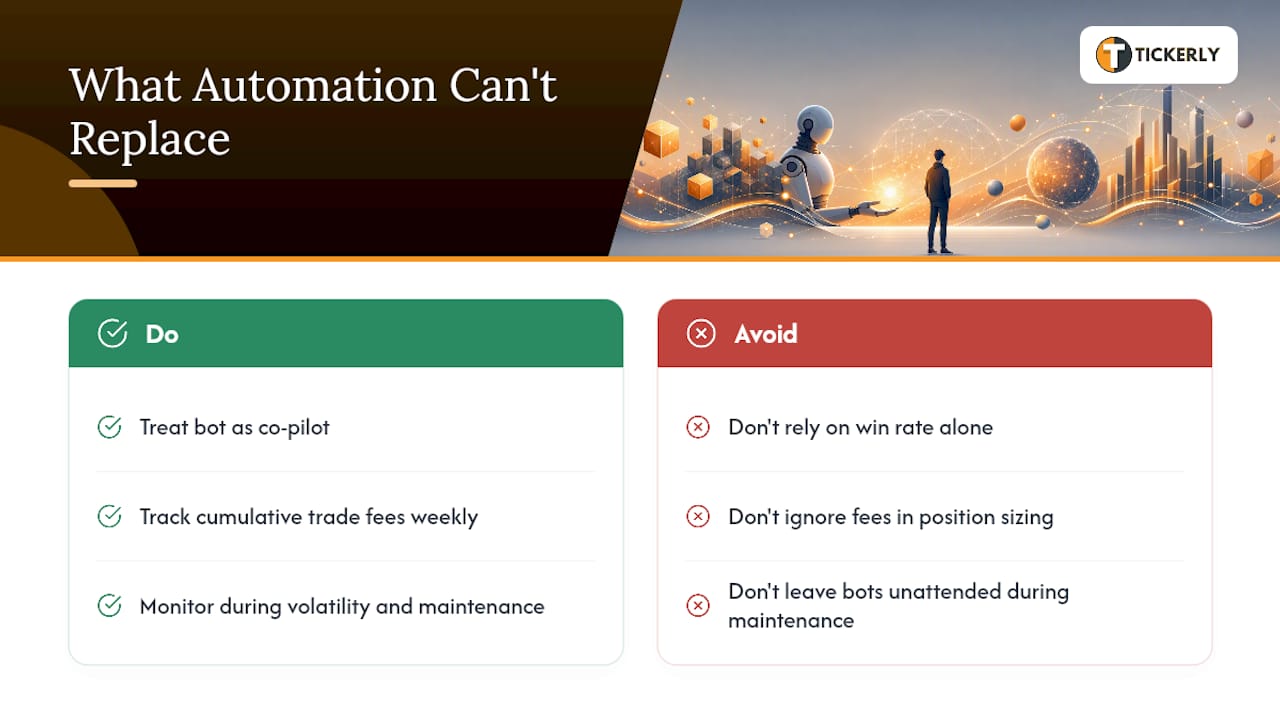
Pro Tip: Start every new bot connection in paper mode for at least a few days, then move to a small live allocation, no more than you’d be comfortable losing outright, before scaling up. Track cumulative trade fees and slippage weekly, not just monthly, since small per-trade costs compound faster than most traders expect.
The case for TradingView-based automation specifically comes down to latency and human error. When your strategy already lives in Pine Script on a chart you trust, converting that alert directly into an executed order removes the delay and mistakes that come from manually copying a signal into an exchange interface. That’s the exact use case Tickerly is built around: taking a TradingView alert, whatever the underlying strategy, and routing it to execution across connected exchanges with minimal lag, without asking you to rebuild your logic inside a separate bot editor.
What Automation Can’t Replace
Building and testing bots for TradingView workflows for years taught me one consistent lesson: automation removes emotion from execution, but it doesn’t remove the need for oversight. The traders who do best treat their bot as a co-pilot, not an autopilot they can ignore.
Pro Tip: Track your cumulative trade fees weekly, not just your win rate. A strategy with a great win rate can still bleed money if trade frequency is high and fees aren’t factored into position sizing.
Bots also need a human watching during high volatility swings and scheduled maintenance windows, since that’s precisely when execution logic gets tested hardest and exchange APIs are most likely to lag or throttle requests.
When Tickerly Is the Right Automation Choice
If your strategy already lives in Pine Script on TradingView, Tickerly turns that logic into live trades without asking you to rebuild anything in a separate bot editor. That’s the specific gap it fills that a general-purpose marketplace bot or an exchange-native grid tool doesn’t: it starts from your existing chart, not from a template library.

Tickerly’s core feature set maps directly to the selection criteria covered above: native alert automation for unlimited strategies, multi-exchange routing across crypto, forex, stocks, and futures, ultra-fast execution to minimize the gap between signal and fill, and no-code setup so Pine Script developers don’t need a second toolchain. It suits day traders running multiple concurrent alerts, developers who’ve already invested time refining a Pine Script strategy, and anyone tired of manually copying TradingView signals into an exchange window during fast-moving markets.
The sensible path in is the same one recommended throughout this comparison: start with the 30-day free trial, connect a single strategy first, and monitor your execution logs closely before adding more alerts. Once you’ve confirmed the connection behaves the way your backtests suggested, explore the full feature guide to see how multi-strategy orchestration scales as you add complexity.
Sources
- The Best Crypto AI Trading Bots of October 2025 – Coin Bureau
- NIST.AI.600-1 – Trustworthy and Responsible AI
- 3Commas vs Pionex vs Cryptohopper 2026: Real 90‑Day Performance Data Reveals the Winner – EarnifyHub
- 10 Best Crypto Trading Bots July 2026 | Expert Review | Koinly
- freqtrade/freqtrade — Free, open source crypto trading bot
FAQ
What Is the Most Successful Crypto Trading Bot?
There’s no single most successful bot across every strategy; performance depends heavily on the trader’s strategy fit and how fees erode net returns over time, as 90-day live testing has shown. For TradingView users specifically, Tickerly stands out because it executes existing Pine Script strategies directly rather than requiring a new one.
Which AI Bot Is Best for Trading Crypto?
Cryptohopper’s Algorithm Intelligence is one of the more established AI-driven options, automatically rotating strategies based on market conditions. Any AI trading feature should be judged against transparency and testing standards similar to those in NIST’s guidance on trustworthy AI systems rather than taken at face value.
Can I Make $100 a Day Trading Crypto With a Bot?
There’s no guarantee of daily profit with any bot, since returns depend on market conditions, strategy quality, capital size, and fees. A bot can execute a strategy consistently and remove emotional decision-making, but it doesn’t eliminate market risk or guarantee a specific dollar outcome.
Do Crypto Trading Bots Work With TradingView Alerts?
Yes, several platforms including Tickerly, 3Commas, and Mizar support routing TradingView alerts into executable trades, though the depth of integration varies. Tickerly is built specifically around converting Pine Script alerts into multi-exchange execution with minimal added setup.
Are Free Crypto Trading Bots Worth Using?
Free or low-cost options like Pionex’s built-in bots can work well for simple grid strategies, but per-trade fees can compound for active traders, so the real cost isn’t always visible upfront. Always calculate expected trade frequency against the fee structure before assuming a free tier saves money.