

TL;DR:
- Time frames assign specific decision roles in trading, with higher timeframes setting bias, intermediate frames identifying setups, and lower frames timing entries. Proper spacing ratios between timeframes reduce noise and improve the likelihood of success when all align. Automated strategies should hard-code the higher timeframe as the bias and validate signals across all levels before live deployment.
Time frames define the decision roles in every trade: the higher timeframe (HTF) sets directional bias, the intermediate timeframe (MTF) identifies the setup, and the lower timeframe (LTF) times the entry. That three-role hierarchy is the structural backbone of every professional multi-timeframe (MTF) system, and it is what separates algo strategies that hold up in live markets from ones that collapse on noise.
Ready-to-test cascade examples:
-
Algorithmic (intraday-to-multi-day): Daily → 4H → 1H
-
Day trading (momentum): 4H → 1H → 15m
-
Scalping: 1H → 15m → 5m
-
Swing: Weekly → Daily → 4H
Each cascade keeps adjacent timeframes at a 1:4–1:6 spacing ratio, which preserves orthogonal structural information across all three levels.
Table of Contents
-
Why does multi-timeframe analysis reduce noise and improve edge?
-
What does a practical three-timeframe framework look like for algos?
-
How do you design entry, exit, and risk rules across timeframes?
-
How do you automate MTF strategies on TradingView with alerts?
Why does multi-timeframe analysis reduce noise and improve edge?
The core problem with single-timeframe trading is that every chart contains two kinds of movement: structural signals and random noise. On a 5-minute chart, the noise-to-signal ratio is high. The HTF filters that noise by anchoring your bias to a trend that takes days or weeks to form, not minutes.
Three timeframes are the professional sweet spot. Fewer than three loses context; more than three causes decision paralysis. When all three align, win probability rises because you are trading with structure at every decision level, not against it.
Timeframe disagreement is information, not failure. When the HTF and LTF point in opposite directions, that conflict often signals a regime change: a range forming, a reversal developing, or a trend losing momentum. Treat it as a warning flag and reduce position size or stand down entirely until alignment returns.
Beginners commonly chase 1-minute or 5-minute signals without any HTF context. The result is a noisy, low-edge exercise that feels like trading but statistically resembles coin-flipping. Enforcing an HTF filter in your Pine Script logic is the single fastest fix.
What does a practical three-timeframe framework look like for algos?

The spacing rule comes first. Adjacent timeframes at a 1:4–1:6 ratio keep each level structurally independent. A 5m/15m pair violates this; a 15m/1H pair satisfies it. Violating the ratio produces the “pollution” trap: near-duplicate signals that amplify noise instead of filtering it.
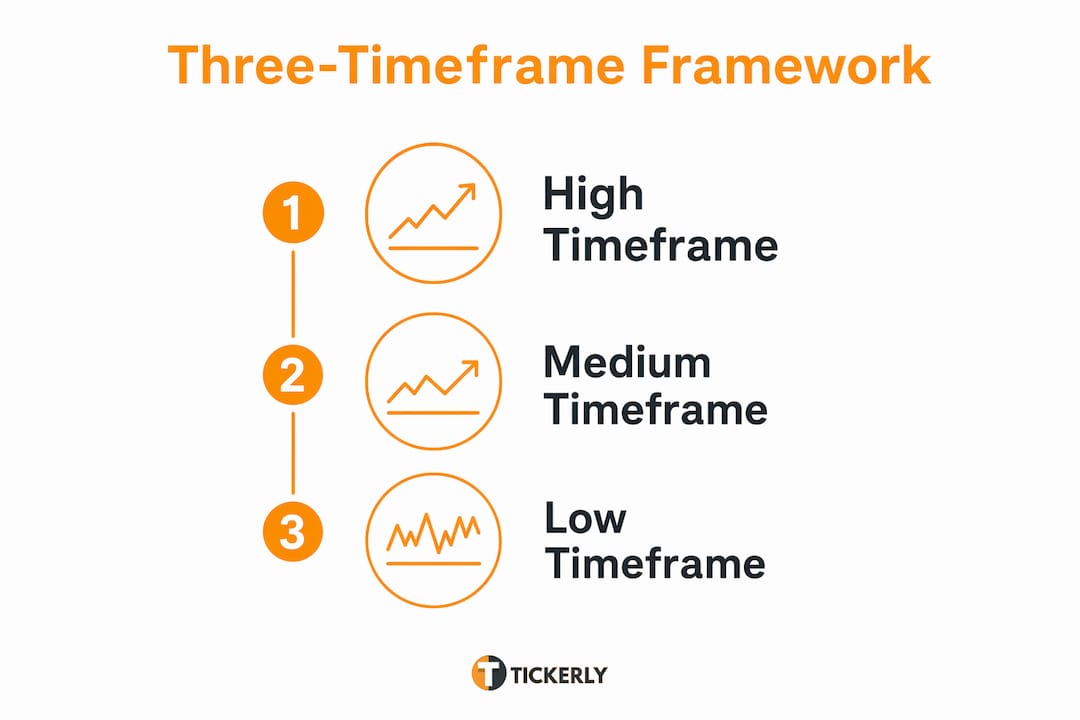
Recommended cascades by strategy type:
| Strategy Type | HTF (Bias) | MTF (Setup) | LTF (Entry) |
|---|---|---|---|
| Algorithmic (multi-day) | Daily | 4H | 1H |
| Day trading (momentum) | 4H | 1H | 15m |
| Scalping | 1H | 15m | 5m |
| Swing | Weekly | Daily | 4H |
These cascade recommendations reduce emotional paralysis and make backtesting repeatable because each role is unambiguous.
Alignment logic in Pine Script (pseudocode):
// HTF bias — only allow longs when HTF trend is up
htf_bias = request.security(syminfo.tickerid, "D", ta.ema(close, 50))
htf_long = close > htf_bias

// MTF setup — price pulling back to 4H support
mtf_support = request.security(syminfo.tickerid, "240", ta.lowest(low, 20))
mtf_setup = close <= mtf_support * 1.005

// LTF trigger — 1H bullish engulfing candle
ltf_trigger = close > open and close[1] < open[1]

// Combined signal — all three must align
signal_long = htf_long and mtf_setup and ltf_trigger
This structure hard-codes the HTF as the governor: no long signal fires unless the daily trend is up. That is the conflict resolution principle that separates robust algos from fragile ones.
How do you design entry, exit, and risk rules across timeframes?
Each timeframe has exactly one job. The HTF sets bias only; it never triggers entries. The MTF validates that a setup exists at a structural level worth trading. The LTF times the entry and places the stop; using it to re-evaluate trend direction after entry leads to stop-hunting and overtrading.
Stop placement should reference the structural level on the timeframe that created the setup. For a day-trading cascade (4H → 1H → 15m), place the stop below the nearest 1H swing low, not a 15m micro-low. A practical formula: stop_distance = 1.5 × ATR(14) measured on the MTF.
Position sizing follows directly from stop distance. A simple risk-per-trade formula:
position_size = (account_equity × risk_pct) / stop_distance_in_price
Set risk_pct at 0.5%–1% per trade for automated systems. Wider MTF stops require smaller position sizes; tighter LTF stops allow larger ones. Keeping this formula in your bot’s order logic prevents the common error of sizing from a fixed lot count regardless of volatility. For foundational trade entry and exit rules, this sizing discipline is non-negotiable.
Pro Tip: After entry, switch your trade management monitor to the MTF, not the LTF. Watching the LTF for exit signals after entry is one of the fastest ways to get shaken out of a valid trade by noise.
How do you backtest and walk-forward test an MTF strategy?
Validating an MTF strategy requires more than a single backtest run. The steps below apply whether you are testing in TradingView’s Strategy Tester or an external engine.
-
In-sample backtest: Run on 60%–70% of your historical data. Capture net profit, Sharpe ratio, Sortino ratio, max drawdown, win rate, and average trade duration.
-
Out-of-sample test: Freeze parameters and test on the remaining 30%–40%. Significant performance degradation here signals overfitting.
-
Walk-forward validation: Roll a fixed in-sample window forward in time, re-optimizing at each step. This tests whether the parameter set generalizes across market regimes.
-
Monte Carlo simulation: Randomly shuffle trade order 1,000+ times to stress-test drawdown expectations and confirm the strategy survives sequence-of-returns risk.
-
Execution simulation: Simulate alert-to-fill latency scenarios and apply realistic slippage models by asset class.
Key metrics to capture per test run:
| Metric | Why It Matters |
|---|---|
| Net profit / CAGR | Overall return quality |
| Sharpe / Sortino ratio | Risk-adjusted return |
| Max drawdown | Worst-case capital exposure |
| Win rate + avg trade duration | Strategy behavior profile |
| MAE / MFE | Entry and exit quality |
| Slippage impact | Execution cost sensitivity |
| Alert-to-fill latency | Automation viability check |
For automated MTF strategies, slippage and latency testing are not optional steps. A strategy that looks excellent in backtesting but ignores 200ms alert-to-fill delay can lose its edge entirely in live markets, particularly on 5-minute or 15-minute LTF entries.
What are the most common multi-timeframe mistakes?
Most MTF failures are predictable. Here are the high-frequency errors and their direct fixes:
-
Chasing LTF noise without HTF filter: Enforce an HTF bias check as the first condition in every signal block.
-
Adjacent timeframes too close (pollution trap): Apply the 1:4–1:6 spacing rule; replace a 5m/15m pair with 15m/1H.
-
Ignoring HTF conflicts at entry: Hard-code a conflict state in your alert payload; reduce size or skip the trade when HTF and MTF disagree.
-
Overfitting to in-sample data: Walk-forward test every parameter set before considering it production-ready.
-
Using LTF to manage trend after entry: Monitor open positions on the MTF; reserve the LTF for entry timing only.
-
No kill switch: Every live bot needs a hard stop triggered by drawdown threshold
The typical retail failure mode: A trader builds a 1-minute scalping bot, backtests it over three months of data, sees a 70% win rate, and deploys it live. Within two weeks, the bot overtrades during a ranging HTF environment because there is no HTF filter. The fix is one conditional:
if htf_bias == "bullish" then allow_long = true. One line of Pine logic eliminates the entire failure mode. Understanding why trading strategies fail almost always comes back to this missing filter.
How do you automate MTF strategies on TradingView with alerts?
Converting a validated Pine strategy into a live automated bot follows a defined sequence:
-
Design and validate Pine logic with all three TF alignment conditions.
-
Run the full backtest and walk-forward suite described above.
-
Publish the script as a TradingView study or strategy on your chart.
-
Build structured alert messages using TradingView’s
{{placeholder syntax. -
Configure alert conditions to fire only when all three TF conditions align.
-
Test webhook round-trips in a staging environment before connecting live capital.
-
Connect the webhook to your execution layer and confirm fill reconciliation.
Sample alert payload (JSON):
{
"ticker" : "{{ticker}}",
"action" : "{{strategy.order.action}}",
"prev_position" : "{{strategy.prev_market_position}}",
"quantity" : "{{strategy.order.contracts}}",
"pointer" : "itWVJPit3GuXsYb3nphB"
}
Integration essentials:
- Use Tickerly as the execution layer between TradingView alerts and your exchange. It handles webhook ingestion, idempotency, rate-limit buffering, and multi-exchange integrations natively, removing the need to build that infrastructure yourself. For a full walkthrough of the TradingView-to-bot pipeline, Tickerly’s documentation covers every step.
For traders exploring the advantages of algorithmic trading more broadly, the MTF automation workflow described here applies across asset classes and execution venues.
What should you verify before switching a bot live?
No MTF bot should go live without passing this checklist:
-
Run a live simulation for at least 48–72 hours on paper trading to confirm alert delivery and fill logic.
-
Smoke test fills: place one small live order manually through the same API path the bot will use.
-
Confirm idempotency: trigger the same alert twice and verify only one order is placed.
-
Test partial fills and rejections: simulate an underfilled order and confirm the bot handles it without doubling up.
-
Set initial position sizing at 25%–50% of your target size for the first week of live trading.
-
Enable a kill switch: a drawdown threshold (e.g., 3% intraday) that halts all new orders and sends an immediate alert.
-
Reconcile fills against alert logs at the end of each trading day.
Pro Tip: Phase up to full position size only after 10–20 live trades match your backtest’s average slippage and fill rate within a reasonable tolerance. Rushing to full size before that confirmation is the most common cause of early live-bot failures.
After a successful live-sim period with consistent fill quality, increase position size in 25% increments, pausing at each step to confirm performance metrics hold. A trading journal that logs every alert, fill, and deviation from expected slippage makes this phase-up process systematic rather than guesswork.
Key Takeaways
Multi-timeframe trading works because each timeframe has a single, non-overlapping job: HTF sets bias, MTF validates the setup, and LTF times the entry with precision.
| Point | Details |
|---|---|
| HTF/MTF/LTF roles | HTF = directional bias only; MTF = setup validation; LTF = entry timing and stop placement. |
| Cascade spacing | Keep adjacent timeframes at a 1:4–1:6 ratio to prevent duplicate noisy signals. |
| Testing priority | Walk-forward test every parameter set and simulate alert-to-fill latency before live deployment. |
| Conflict resolution | Hard-code HTF as the governor; reduce size or stand down when HTF and MTF disagree. |
| Tickerly automation | Tickerly converts TradingView alerts into live bot orders, handling idempotency, rate limits, and exchange integrations natively. |
The part most algo traders skip until it costs them
Most traders spend 90% of their prep time on signal logic and almost none on conflict resolution. That is the wrong ratio. A well-designed HTF filter will save you more capital than a perfectly tuned entry indicator, because it prevents you from trading against the dominant structure entirely.
The cascade framework in this guide is not a rigid prescription. The daily → 4H → 1H structure works well for intraday algos in trending markets, but in low-volatility, range-bound conditions, that same cascade will generate setups that look valid on the MTF but go nowhere because the HTF has no directional conviction. The fix is not to change the cascade; it is to add a regime filter, such as an ADX threshold on the HTF, that pauses the bot when trend strength is insufficient.
The other thing worth saying plainly: walk-forward testing is not a formality. It is the only honest way to know whether your parameter set generalizes. A strategy that passes in-sample and fails walk-forward is not a strategy; it is a curve-fit. Build the walk-forward step into your workflow from day one, not as an afterthought before going live.
Tickerly turns your MTF alerts into live bot execution
Once your MTF strategy is validated and your alert payloads are structured, the gap between TradingView and a live exchange is where most traders lose time and money building custom infrastructure. Tickerly closes that gap directly.

Tickerly ingests your TradingView webhook alerts and executes them on your connected exchange with ultra-fast latency, handling idempotency checks, rate-limit buffering, and fill reconciliation out of the box. You configure your Pine logic and alert payload once; Tickerly handles everything downstream. It supports crypto, forex, stocks, futures, and prop firm markets, and connects to multiple exchanges through a single API integration. No custom webhook server, no manual order routing, no missed fills because an alert fired twice.
The pre-deployment checklist in this guide maps directly to Tickerly’s feature set: kill-switch alerts, execution health monitoring, and multi-strategy support are all built in. Start with a 30-day free trial and connect your first TradingView strategy to a live exchange in minutes. For a full overview of how TradingView automation works end-to-end with Tickerly, the documentation covers every integration step.
Useful sources and further reading
Backtesting methodology and MTF framework:
-
How to Choose the Best Time Frame for Trading — Investopedia’s step-by-step guide; best starting point for timeframe selection logic.
-
Multi-Timeframe Analysis: How to Stack Timeframes — Traders Second Brain; strongest resource for spacing rules and the pollution trap.
-
Multi-Timeframe Analysis: The Full Guide — ChartWhisperer; covers cascade examples and emotional paralysis reduction.
-
Multi-Timeframe Analysis: The Swing Trader’s Core Skill — TradeOlogy; best for execution TF rules and walk-forward testing notes.
-
Multi-Timeframe Analysis Framework — Forex Basics; conflict resolution logic and HTF governor rules.
Pine Script and TradingView alert structure:
-
Trading Timeframes Explained — Quantum Algo Academy; practical Pine-level guidance on HTF filters.
-
Algotrading on TradingView — Tickerly docs; Pine-to-bot integration walkthrough.
-
Top TradingView Strategies for Automation — Tickerly; strategy patterns optimized for alert-based execution.
Automation and live deployment:
-
Automated Trading FAQ — Tickerly; quick answers on webhook flow, alert limits, and exchange connections.
-
Timeframes Technical Analysis Guidance — FX Foundations; regime change and conflict handling reference.
FAQ
What is the role of time frames in trading?
Time frames define the decision roles in a trade: the higher timeframe sets directional bias, the intermediate timeframe identifies the setup, and the lower timeframe times the entry. This three-level hierarchy filters noise and raises win probability when all three align.
What are the best time frames for day trading?
The most widely recommended day-trading cascade is 4H → 1H → 15m, with the 4H setting bias, the 1H confirming the setup, and the 15m triggering the entry. Spacing adjacent timeframes at a 1:4–1:6 ratio keeps each level structurally independent.
How do you handle timeframe conflicts in an automated strategy?
Hard-code the HTF as the governor: if the HTF bias is bearish, the bot ignores all long signals on lower timeframes. Include a conflict_state flag in your alert payload so the execution layer can reduce position size or skip the trade entirely when HTF and MTF disagree.
How does Tickerly fit into a TradingView MTF automation workflow?
Tickerly receives TradingView webhook alerts and executes them on connected exchanges, handling idempotency, rate-limit buffering, and fill reconciliation automatically. It removes the need to build custom webhook infrastructure between your Pine strategy and your live exchange.
Why is walk-forward testing required for MTF strategies?
A single backtest only confirms that a parameter set worked on historical data it was optimized against. Walk-forward testing rolls a fixed in-sample window forward in time to verify that the strategy generalizes across different market regimes, which is the only honest validation before live deployment.