

TL;DR:
- Securing trading accounts involves multi-layered controls like hardware-backed MFA, unique passwords, and withdrawal whitelisting to prevent unauthorized access. Implementing these measures significantly reduces the risk of account takeovers and fund theft, especially when combined with dedicated devices, strong network protections, and rapid incident response. Relying solely on broker regulation does not protect traders from phishing or social engineering attacks; personal security habits remain essential.
Securing trading accounts is defined as applying layered security controls, including phishing-resistant multifactor authentication (MFA), strong unique passwords, dedicated device environments, and withdrawal whitelisting, to prevent unauthorized access and fund theft. Traders who skip even one of these layers expose themselves to account takeovers, SIM swap attacks, and API-based breaches that can drain positions within minutes. Implementing hardware-backed MFA, unique passwords, and withdrawal whitelisting can reduce account compromise risk by about 80%. That figure reflects how much of the attack surface these three controls cover when applied together. This guide covers every critical layer, from FIDO2 hardware keys to OpSec-based incident response, so you can protect trading accounts with confidence.
How to secure trading accounts: top-tier controls to implement first
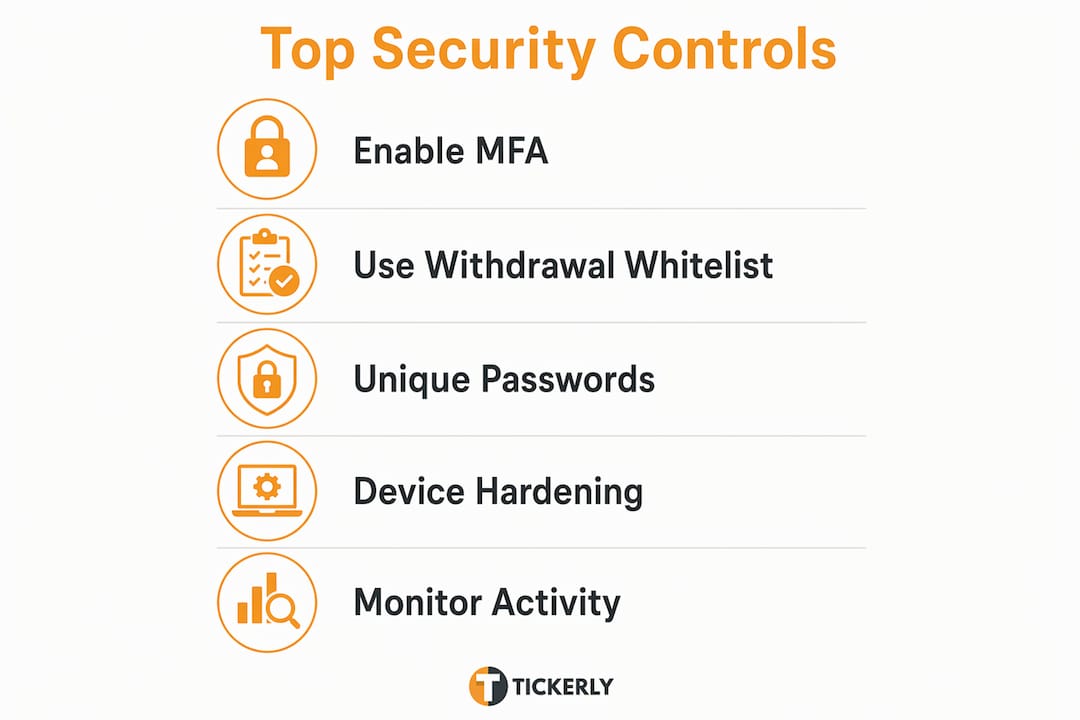
The three highest-impact actions you can take on day one are enabling hardware-backed MFA, setting unique passwords through a password manager, and activating withdrawal whitelisting on every broker account. Each control addresses a different attack vector, and together they close the majority of entry points attackers use.
Withdrawal whitelisting is the most underused and most effective control available. Withdrawal whitelisting restricts fund transfers to a predefined list of bank accounts or wallet addresses, blocking unauthorized movements even when an attacker has your login credentials. An attacker who gains full access to your account still cannot move funds to their own address. That single feature can be the difference between a recoverable incident and a total loss.
Password managers like Bitwarden or 1Password generate and store unique credentials for every account. Reusing passwords across a broker account, email, and other services creates a chain reaction: one breach compromises all of them. A password manager eliminates that chain entirely.
| Security control | Primary threat blocked | Risk reduction impact |
|---|---|---|
| FIDO2 hardware key (MFA) | Phishing, credential theft | Very high |
| Unique passwords via password manager | Credential stuffing, reuse attacks | High |
| Withdrawal address whitelisting | Unauthorized fund transfers | Very high |
| IP allowlisting | Unauthorized remote login | High |
| Full disk encryption | Physical device theft | Medium |
Pro Tip: Set up withdrawal whitelisting before you fund your account. Most brokers impose a 24-hour lock after you add a new address, so configuring it early costs you nothing and protects you immediately.
How do you harden devices and networks for trading?
Dedicated trading devices or isolated user profiles with a minimal software footprint limit malware exposure and session hijacking risk significantly. The logic is simple: every application installed on a device is a potential attack surface. A trading machine with only a browser, an authenticator app, and the OS itself has far fewer vulnerabilities than a general-purpose laptop loaded with games, browser extensions, and productivity tools.

Full disk encryption is non-negotiable. On Windows, BitLocker covers this. On macOS, FileVault does the same. Both are built-in and free. Pair encryption with automatic OS and software updates, since most successful exploits target known vulnerabilities that patches already address.
Your browser setup matters as much as your device setup. Browser extensions represent a significant, overlooked attack surface. A dedicated browser profile with zero extensions, no sync enabled, and bookmarks only for trading URLs eliminates the risk of malicious scripts intercepting session tokens. Use that profile exclusively for trading. Never use it for general browsing, social media, or email.
Network hardening follows the same principle of reducing exposure:
-
Change your router’s default admin credentials immediately. Default usernames and passwords are publicly listed and actively exploited.
-
Enable WPA3 encryption on your Wi-Fi network. CISA recommends this configuration specifically for environments handling financial transactions.
-
Disable remote management on your router. Remote management opens an administrative interface to the public internet.
-
Create a separate guest network for phones, smart TVs, and IoT devices. This isolates your trading device from potentially compromised endpoints on the same network.
-
Avoid trading on public Wi-Fi entirely. If you must connect remotely, use a reputable VPN with a no-log policy, but treat it as a minimum precaution rather than a complete solution.
Pro Tip: Audit your browser extensions every 30 days. Extensions update automatically and can change ownership or behavior without warning. Remove anything you do not actively use.
Which MFA methods provide the strongest protection?
Not all MFA is equal. SMS-based 2FA, time-based one-time password (TOTP) apps, and FIDO2 hardware security keys each offer different levels of protection, and the gap between the weakest and strongest is substantial.
SMS 2FA is vulnerable to SIM swap attacks, where an attacker convinces your carrier to transfer your phone number to a SIM they control. Once they have your number, they receive every SMS code you would. SIM swaps are not theoretical: they are a documented, common attack against traders and crypto holders. SMS 2FA is better than nothing, but it is not sufficient for accounts holding real capital.
TOTP apps like Google Authenticator or Authy generate codes locally on your device, removing the carrier vulnerability. They are a meaningful upgrade over SMS. However, they remain vulnerable to real-time phishing proxies, where an attacker intercepts your code as you type it and replays it immediately.
FIDO2 hardware security keys prevent phishing-based account takeovers by up to 99% compared to SMS 2FA. The key cryptographically binds authentication to the exact domain of the legitimate site. A phishing proxy cannot replay the response because the cryptographic challenge is site-specific. YubiKey and Google Titan Key are the two most widely supported FIDO2 options.
| MFA method | Phishing resistance | SIM swap risk | Recommended for trading |
|---|---|---|---|
| SMS 2FA | Low | High | No |
| TOTP app (Google Authenticator) | Medium | None | Acceptable minimum |
| FIDO2 hardware key (YubiKey) | Very high | None | Yes, strongly recommended |
Your email account is the root of trust for every trading account you own. Password resets, broker notifications, and API key alerts all flow through email. Securing your email with a hardware MFA key is as critical as securing the broker account itself. Treat your email as a trading asset.
Backup and recovery codes for MFA should be stored offline in a secure physical location, such as a printed sheet in a locked drawer or safe. Cloud backups of recovery codes create a single point of failure. If your cloud account is compromised, your MFA backup is compromised with it.
Pro Tip: Buy two FIDO2 keys and register both on every account. Store the second key in a separate physical location. If you lose your primary key, you will not be locked out.
How do you monitor and respond to suspicious account activity?
Speed of response is the critical variable when a breach occurs. The OpSec principle for trading security states: treat any unrecognized login or withdrawal alert as a confirmed breach and act immediately. Waiting to investigate before acting gives attackers time to move funds, change credentials, and lock you out.
Enable every alert your broker offers: login notifications, withdrawal requests, trade confirmations, and API key usage. Set these to push notifications and email simultaneously. Most reputable brokers also apply a 24-hour buffer on withdrawal processing, which gives you a window to intercept unauthorized transfers if you act fast.
If you see an unrecognized login or withdrawal attempt, execute this sequence immediately:
-
Force logout all active sessions from your broker’s security settings.
-
Change your account password from a clean, trusted device.
-
Rotate all API keys associated with the account and revoke any you do not recognize.
-
Contact your broker by phone using the number listed on their official website. Do not use contact details from an email you received, since those may be spoofed.
-
Document every action with timestamps for dispute support.
Routine API key audits and applying the least-privilege principle reduce the risk of unauthorized automated access. Rotate API keys every 90 days and revoke unused keys immediately. Grant each key only the permissions it actually needs: a key used for reading market data does not need withdrawal permissions.
Watch for fake broker support calls. Attackers impersonate broker support teams and ask you to share screen access or one-time codes. Legitimate brokers never ask for your password or MFA codes. Verify any inbound contact by calling the broker back on their published number before sharing any information. Maintaining a trading alert log gives you an independent audit trail that supports dispute resolution and helps you spot patterns in suspicious activity.
Key Takeaways
Securing trading accounts requires layered controls: phishing-resistant MFA, withdrawal whitelisting, dedicated devices, and fast incident response working together to close the most common attack vectors.
| Point | Details |
|---|---|
| Use FIDO2 hardware keys | Hardware keys reduce phishing-based takeovers by up to 99% compared to SMS 2FA. |
| Enable withdrawal whitelisting | Whitelisting blocks unauthorized fund transfers even when login credentials are stolen. |
| Isolate your trading environment | Dedicated devices or profiles with zero extensions cut malware and session hijack risk. |
| Treat email as a trading asset | Secure your email with hardware MFA first — it controls access to every account you own. |
| Respond to alerts immediately | Force logout, rotate credentials, and call your broker the moment you see unrecognized activity. |
Why platform reputation is not a security strategy
Traders routinely make one critical mistake: they assume a regulated, reputable broker means their account is safe. Regulation governs how a broker handles your funds and disputes. It does not protect you from a phishing attack that hands your credentials to an attacker, or from a SIM swap that bypasses your SMS 2FA before you even notice.
I have seen traders with accounts at well-regulated brokers lose significant capital because they relied on the broker’s reputation instead of hardening their own defenses. The broker did everything right. The trader’s email account had SMS 2FA and a reused password. That was the entry point.
The behavioral side of security is harder than the technical side. Withdrawal whitelisting requires patience: you add an address and wait 24 hours before it activates. Social engineering attacks exploit urgency. An attacker who calls pretending to be broker support and creates a sense of emergency is counting on you to skip your verification habits. Discipline under pressure is a security control.
Treat your security setup as a living system, not a one-time checklist. Threats evolve. Proxy-based phishing attacks that bypass TOTP apps are a 2026 reality. Trading accountability and disciplined habits apply to security just as much as they apply to trade execution. Audit your setup quarterly, rotate API keys on schedule, and treat every alert as real until you prove otherwise.— Jay
Tickerly’s approach to secure automated trading
Automated trading introduces its own security considerations, particularly around API key management and execution integrity. Tickerly connects your TradingView strategies to live exchanges through a carefully structured API layer, giving you control over key permissions and execution scope without exposing unnecessary access.

Tickerly’s automated trading bots operate with the least-privilege principle built into the workflow: each bot connection uses only the permissions required for execution, not withdrawal access. Real-time alerts and an execution log give you full visibility into every action the bot takes, so you can spot anomalies fast. For traders who want to run strategies continuously while maintaining tight security controls, Tickerly’s architecture is built with that balance in mind. Explore the automated trading FAQ for a full breakdown of how Tickerly handles API security and exchange connections.
FAQ
What is the single most effective way to protect a trading account?
Enabling withdrawal whitelisting is the single most effective control. It blocks unauthorized fund transfers even when an attacker has your login credentials and MFA codes.
Why is SMS 2FA insufficient for trading accounts?
SMS 2FA is vulnerable to SIM swap attacks, where attackers transfer your phone number to a SIM they control and intercept your codes. Hardware keys and TOTP apps eliminate this vulnerability.
How often should I rotate API keys for trading bots?
Rotate API keys every 90 days and revoke unused keys immediately. Apply the least-privilege principle so each key holds only the permissions it actively needs.
What should I do first if I suspect my trading account is compromised?
Force logout all active sessions, change your password from a clean device, rotate all API keys, and call your broker directly using the number on their official website.
Does using a regulated broker mean my account is secure?
No. Broker regulation governs fund handling and dispute resolution. Your personal security controls, including MFA, passwords, and device hygiene, determine whether an attacker can access your account in the first place.