

For most active TradingView traders who need multi-asset execution across crypto, forex, and stocks, Tickerly is the strongest PineConnector alternative, thanks to direct connections for crypto exchanges, Oanda, Capital.com and Alpaca, MetaTrader 4/5 support from Level 4, and multi-strategy support. If your entire workflow lives inside MT5 forex on a VPS, Tickerly covers that too through its MetaTrader connector, and focused bridges like AlgoWay or SignalForge are also worth a look. PineConnector itself remains a reasonable choice only for that narrow MT4/MT5-only use case.
TL;DR:
Multi-asset trading platforms like Tickerly support routing TradingView alerts across crypto, forex, and stocks, unlike PineConnector, which is limited to MetaTrader with MT4/MT5.
Tickerly and AlgoWay offer low-cost, cloud-native solutions with testing demos to verify execution speed and fill rates before live trading, with Tickerly providing a no-code setup.
Brokers’ order type support and the ability to handle multiple accounts or strategies vary between platforms; confirm these features during testing to ensure compatibility with your trading style.
Support quality and data security practices differ; platforms with clear privacy policies, API keys that never need withdrawal rights, and active user communities tend to be more reliable for live trading.
Strategy volume and asset class diversity influence the choice; high-frequency scalpers need robust, low-latency platforms, while swing traders can prioritize ease of setup and stability.
Table of Contents
Why Look Beyond PineConnector for TradingView Automation?
PineConnector built its reputation as a straightforward relay between TradingView Pine Script alerts and MetaTrader terminals. That’s still its strength, and independent comparisons confirm it stays a solid fit for traders who remain inside MT4/MT5 rather than branching into crypto exchanges or US stockbrokers.
The problem is that most active traders today don’t run a single-platform strategy. You might backtest on TradingView, execute forex through MT5, and also run a crypto strategy on a separate exchange. PineConnector was never built for that kind of multi-asset routing, which is exactly why traders search for pineconnector alternatives in the first place. Community threads on Reddit show this demand clearly, with traders regularly asking for replacements that can handle MT5 routing alongside crypto and stock execution without stitching together multiple tools.
The alternatives fall into two practical buckets. One group specializes in MT5/MT4 bridging, similar to PineConnector but sometimes cheaper or faster. The other group operates as cloud relays that connect TradingView directly to brokers and exchanges across asset classes. Knowing which bucket fits your trading style narrows the pineconnector alternatives comparison considerably before you even open a demo account.
Ten PineConnector Alternatives Worth Evaluating
Here’s a shortlist worth testing, starting with the option built specifically for multi-asset TradingView automation.
-
Tickerly — Converts TradingView alerts into live bots across crypto and crypto futures, forex, stocks, and MetaTrader 4/5 with any MT4/MT5 broker or prop firm, with multi-strategy handling and a free trial to test execution before committing.
-
TradersPost — A dashboard-first relay with broad US broker coverage; pricing tiers run higher, reported in a range from about fifty to three hundred dollars per month depending on volume, per comparison data from Ontology.
-
AlgoWay — Lower-cost multi-platform router starting near $6 per month, with a live MT5 demo flow for testing alerts end to end.
-
SignalForge — MT5-focused bridge with an active ForexFactory discussion thread covering routing reliability.
-
TradingConnector — Straightforward MT4/MT5 connector for traders who don’t need crypto or stock routing.
-
WunderTrading — Cloud automation built around crypto exchange integrations and a strategy marketplace.
-
AutoView — Script-based automation plugin for developers comfortable configuring alerts manually.
-
QuantConnect — Research-first platform combining backtesting with brokerage execution hooks.
-
Finestel — Smaller specialist connector surfaced in several roundup comparisons.
-
MyFXBook — Analytics-first tool with limited connector functionality via community add-ons.
How Do These PineConnector Alternatives Compare?
The right pick depends on which axis matters most to your strategy: broker breadth, price, or setup speed.
Three takeaways stand out. MT5-only traders sticking to forex or CFDs can reasonably stay with a focused bridge like AlgoWay or SignalForge, or use Tickerly’s MetaTrader connection (Level 4, $39 a month, up to 10 terminals), which keeps crypto and stocks open for later. Multi-asset traders running crypto, stocks, and forex together get the most value from Tickerly’s unified routing. Low-cost hobbyists testing strategies before committing capital should prioritize AlgoWay’s live demo or Tickerly’s 30-day free trial over platforms with no visible trial.
What Each Alternative Actually Offers
Tickerly connects directly to TradingView alerts and routes them into live execution across crypto, forex, and stock exchanges, with support for running multiple strategies at once. You can test the full flow through Tickerly’s TradingView automation guide before funding a live account.
Here’s what the rest of the field brings to the table:
-
TradersPost: broad broker list, dashboard-based order management, developer tooling visible on its GitHub organization.
-
AlgoWay: budget entry point with a working MT5 demo for pre-launch testing.
-
SignalForge: MT5 bridge with an active community thread tracking routing behavior.
-
TradingConnector: simple EA-style bridge for MT4/MT5-only setups.
-
WunderTrading: exchange-native crypto automation with a built-in strategy marketplace.
-
AutoView: script-level control for traders comfortable coding their own alert logic.
-
QuantConnect: backtesting environment with brokerage execution hooks for quants.
-
Finestel and MyFXBook: narrower, specialist tools better suited as supplements than full replacements.
How Should You Choose Between These Options?
Run through this checklist before signing up for any platform:
-
Does the vendor publish its full broker and exchange list, or do you have to ask?
-
How does it handle order types and exits? Tickerly, for example, has no order-type field: it executes the orders your strategy sends, sends closing orders reduce-only, and attaches take profit and stop loss to the entry with full trade alerts on Bybit, Binance, Oanda and Capital.com (not MetaTrader).
-
Can it handle multiple accounts or strategies running simultaneously?
-
Is pricing tiered by asset class, alert volume, or a flat monthly rate?
-
Does the vendor offer a demo environment, or only a live-money trial?
During your trial period, ask support these five questions directly: What’s your average execution latency under load? Where can I see the broker’s response to every alert? What happens if TradingView’s webhook drops a signal? Can I run crypto and forex strategies on the same account? What’s your uptime history over the last quarter?
Watch for red flags: no visible demo account, pricing that requires a sales call to disclose, a broker list that’s vague about which exchanges are actually live, and no record of the broker’s response after execution.
Pro Tip: Check third-party review pages like Trustpilot before committing. Mixed sentiment on a connector’s review page often flags execution or support issues that vendor marketing won’t mention.
How to Test and Migrate From PineConnector Safely
Switching platforms mid-strategy is where most traders lose money, not from the new tool itself, but from skipped verification steps. Follow this sequence before moving live capital:
-
Open a demo account on the new platform and connect it to TradingView.
-
Configure your alert payload to match the platform’s required format.
-
Fire at least 20 to 30 test alerts across different symbols, entries, exits and reversals.
-
Verify that every single alert produced the expected order, both in the platform’s log (on Tickerly, the alert log) and in your MT4/MT5 terminal or broker account.
-
Log latency and fill rate for each trade, then compare against your PineConnector baseline.
Symbol mapping trips up more migrations than anything else. Broker symbol names rarely match TradingView tickers exactly (think “EURUSD” versus “EURUSD.raw”), and a mismatch here silently drops orders instead of throwing an obvious error. Order types need the same check. Tickerly’s alert has no order-type or limit-price field, so each order goes to the broker when the strategy’s alert fires; if your strategy is built around limit entries, compare its fills on a demo account before going live. On Tickerly’s MetaTrader connection, symbols pass through exactly as written, so use your broker’s symbol including any suffix.
VPS-based bridges like PineConnector require you to manage terminal uptime yourself. Tickerly’s direct connections to crypto exchanges, Oanda, Capital.com and Alpaca remove that maintenance layer entirely. Its MetaTrader connection works like any MT bridge in this respect: the Tickerly TV Connector EA runs in your own terminal, which has to stay running (a VPS is the usual answer), and orders it doesn’t collect within 60 seconds are discarded and you are notified. Size MetaTrader orders in units rather than lots (100,000 = 1 standard lot) and check the first demo trade. Independent testing confirms execution speed and fill-rate differences are measurable across platforms, so don’t skip the logging step. You can walk through Tickerly’s own connection steps on the MT5 automation guide or the MetaTrader connection page while you build your test protocol.
Execution Latency and Reliability: What to Expect
Latency is where PineConnector alternatives separate themselves most clearly. Hands-on testing across four automation tools found measurable differences in latency and fill rates depending on whether the platform routes through a local VPS terminal or a cloud relay.

PineConnector can route MT5 trades quickly for straightforward forex setups, but that speed depends on your VPS configuration and TradingView’s webhook delivery time, both of which sit outside PineConnector’s control. The same holds for any MetaTrader route, Tickerly’s included, because the order is collected by an EA in your terminal. On direct exchange and broker connections, Tickerly takes the VPS out of the path: orders are placed from dedicated servers near major exchanges, within a fraction of a second of the alert.
Reliability isn’t just about speed. It’s about whether every alert actually produces a confirmed fill. A dropped webhook or a symbol mismatch can silently skip an order, and you won’t know unless you’re checking broker ticket IDs after every trade. This is why demo testing matters more than any published latency number: your specific strategy, symbol list, and alert frequency will behave differently than a generic benchmark.
If your strategy fires dozens of alerts per session across multiple assets, prioritize a platform built to handle concurrent execution without queuing delays. If you’re running one or two trades a day on a single MT5 pair, the latency difference between platforms becomes far less consequential, and setup simplicity should weigh more heavily in your decision.
User Interface and Ease of Use Compared to PineConnector
PineConnector’s interface is minimal by design: you configure a license key, map it to your EA, and manage most of the logic through Pine Script comments in your alert message. That’s fine for traders who already know Pine Script syntax, but it puts the burden of formatting entirely on you.
Tickerly takes a no-code approach instead: you add an exchange or broker connection, copy the ready-made alert message from My exchanges and paste it into your strategy’s alert, with no per-strategy configuration and no hand-written syntax for each parameter. Because the same message works for every strategy on that connection, running several strategies at once doesn’t mean maintaining a separate alert template for each one.
TradersPost takes a dashboard approach, with visual strategy management that suits teams juggling several accounts. AlgoWay and SignalForge stay closer to PineConnector’s original model: functional, but leaning on manual configuration and community documentation rather than a polished setup flow. AutoView sits at the far end of that spectrum, requiring genuine scripting comfort to configure correctly.
If you value speed of setup over granular control, prioritize no-code platforms. If you’re already fluent in Pine Script and prefer full control over every alert parameter, a bridge-style tool that mirrors PineConnector’s manual approach might still feel more natural, even if it means more upfront configuration work.
Customer Support and Community Resources
Support quality varies more across these platforms than almost any other factor, and it’s usually invisible until you actually need help mid-trade.
PineConnector relies heavily on its own documentation and a smaller user community for troubleshooting. SignalForge has built visibility through an active ForexFactory thread, where users trade troubleshooting tips and report routing behavior in real time, a useful signal since forum activity often reveals problems faster than official support channels.
TradersPost backs its dashboard with developer-facing resources visible on its GitHub organization, which suits traders comfortable digging into technical documentation directly. AlgoWay pairs its live demo with support geared toward walking new users through initial setup. QuantConnect, given its research-platform roots, maintains an active developer community focused on backtesting and algorithm design rather than live-execution troubleshooting.
Tickerly’s support model centers on direct assistance through its automated trading FAQ and guided setup documentation, aimed at getting multi-asset strategies live without requiring a developer background.
Before committing to any platform, check whether support response happens through live chat, email ticketing, or forum-only self-service. A platform with no visible community presence and no published support channel is a genuine warning sign, especially if you’re running real capital on the connection.
Security Features and Data Privacy
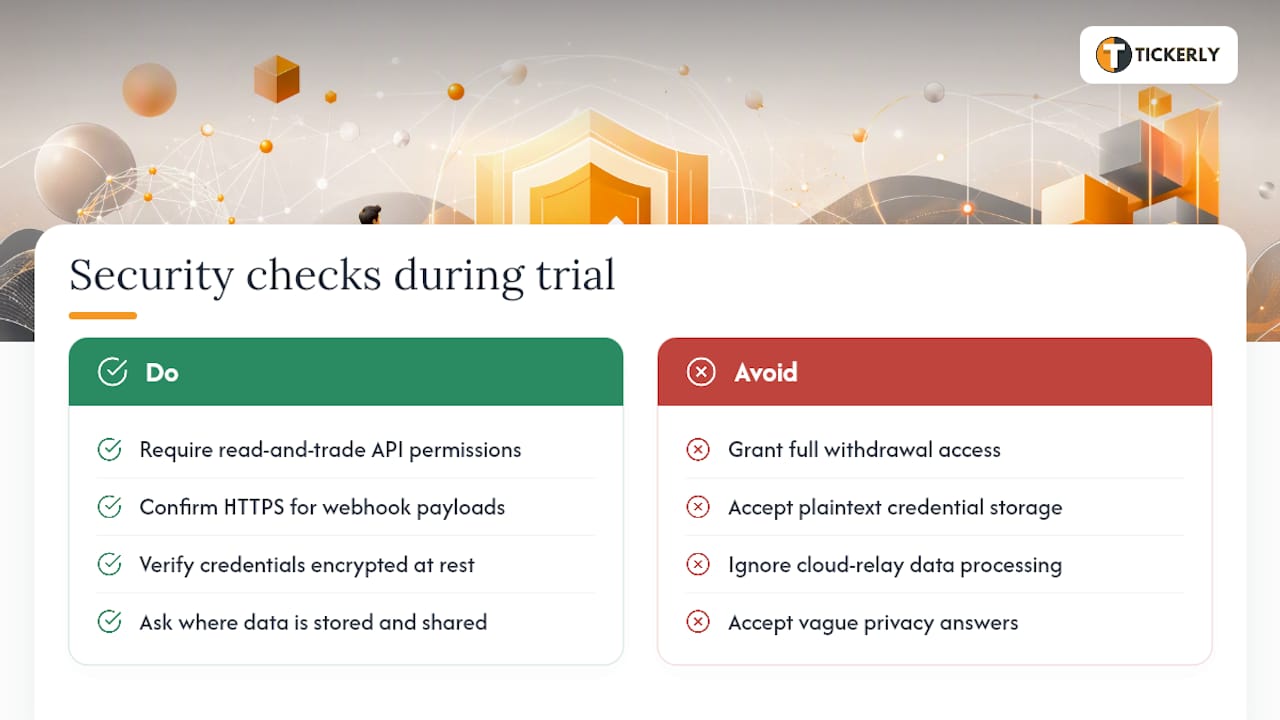
Every connector in this category needs API keys or account credentials to place trades on your behalf, which makes security architecture a legitimate evaluation criterion, not an afterthought.
Look for platforms that use read-and-trade-only API permissions rather than full withdrawal access. Reputable exchanges and brokers let you scope API keys narrowly, and any automation platform worth using will explicitly recommend you do so. If a platform’s setup instructions don’t mention permission scoping at all, that’s worth flagging during your trial.
Encryption matters wherever credentials are involved. Credential storage on the platform’s end should be encrypted rather than stored in plain text, and webhook payloads shouldn’t carry credentials at all. A Tickerly alert carries none, just the ticker, the order and a private pointer, which is why its endpoint, http://alerts.tickerly.net, is plain HTTP by design to save latency. Your API keys stay in your Tickerly connection and need trading and read permissions only, never withdrawal, and every order comes from one IP address, 217.160.238.76, that you can whitelist on the exchange. Most established platforms, including Tickerly, TradersPost, and QuantConnect, publish some form of data handling policy, though the depth of detail varies.
Data privacy becomes more relevant with cloud relays than with local EA bridges, since a cloud platform necessarily processes your alert data and, in some cases, your trading history through its own servers. PineConnector and TradingConnector, operating closer to a local-bridge model, keep more of that data flow on your own machine or VPS. That’s a genuine tradeoff worth weighing if you’re trading a strategy you consider proprietary.
Ask directly during your trial: where is data stored, is it encrypted at rest, and does the platform ever share execution data with third parties. A vendor that answers clearly and specifically is a better sign than one that points you to a generic privacy policy page.
Integration With Third-Party Tools and APIs
Most of these platforms exist specifically because TradingView’s native webhook system needs a translator to talk to brokers and exchanges, so API integration depth is the whole point.
TradersPost stands out here with developer tooling visible on its GitHub repositories, letting technically inclined traders extend or customize integrations beyond the standard dashboard options. QuantConnect goes further, offering a full research API for traders who want to build and backtest custom logic before connecting to live execution.
Tickerly integrates directly with TradingView alerts and connects outward to supported crypto, forex, and stock exchanges, with no-code setup for traders who don’t want to manage API authentication manually. AlgoWay and SignalForge focus more narrowly on MT4/MT5 API bridging, without the broader third-party ecosystem TradersPost or QuantConnect support.
If your workflow depends on connecting to a trading journal, a risk management tool, or a custom analytics dashboard alongside your execution platform, check whether the connector exposes its own API or webhook output for that purpose. Not every platform does, and this is a meaningful gap for traders running a more complex tech stack beyond simple alert-to-order routing.
Customization and Scripting Flexibility
Pine Script remains the common language across nearly every alternative on this list, since TradingView strategies are written in it regardless of which execution platform you connect to.
Where these platforms diverge is how much additional customization they allow beyond the alert message itself. AutoView leans hardest into scripting flexibility, letting experienced developers control execution logic at a granular level. QuantConnect takes a different but equally flexible approach, supporting custom algorithm development in Python and C# for traders who want backtesting and execution to share the same codebase.
Tickerly takes the opposite philosophy: no-code configuration for Pine Script developers and TradingView users who want their strategy logic to stay in Pine Script while the platform handles routing, execution, and multi-strategy management without additional scripting. TradersPost and WunderTrading sit somewhere in the middle, offering dashboard configuration with some room for custom webhook formatting when needed.
If your strategy needs conditional logic beyond what a TradingView alert message can express, a scripting-flexible option like AutoView or QuantConnect gives you that room. If you’d rather keep your strategy logic entirely in Pine Script and let the connector handle execution mechanics, a no-code platform saves considerable setup time without sacrificing strategy sophistication.
Compatibility With Languages and Trading Strategies
Pine Script alerts are the universal input across this entire category, but what happens after the alert fires depends heavily on the platform’s underlying architecture.
QuantConnect supports Python and C# for traders who want to build strategies outside Pine Script entirely, then route execution through its brokerage hooks. AutoView expects a working knowledge of its own scripting conventions layered on top of your Pine Script alerts. Most other platforms, including Tickerly, TradersPost, AlgoWay, and SignalForge, accept standard TradingView webhook alerts without requiring you to learn a second language.
Strategy compatibility matters just as much as language support. Scalping strategies firing dozens of alerts per hour need a platform built for high alert volume without queuing delays. Swing strategies firing a handful of alerts per week have much more flexibility in platform choice, since latency and throughput matter less. Multi-asset strategies, running crypto and forex simultaneously, need a platform that actually supports both asset classes natively rather than requiring two separate tools stitched together.
Before committing, map your specific strategy type against the platform’s stated strengths rather than assuming general compatibility. A platform built for MT5 forex bridging will technically accept a crypto scalping alert, but that doesn’t mean it’s the right tool for the job.
When Should You Actually Switch From PineConnector?
Switching makes sense the moment your strategy outgrows a single platform, and that moment is easier to spot than most traders expect. If you’re manually managing separate tools for crypto and forex execution, or want your forex strategy on a broker connection that doesn’t depend on a VPS-hosted terminal, you’ve already outgrown PineConnector’s core design. Tickerly’s multi-asset routing solves that specific gap: direct connections to crypto exchanges, Oanda, Capital.com and Alpaca need no VPS, and MetaTrader 4/5 runs alongside them through a connector in your own terminal. For traders who genuinely never touch anything outside MT5 forex, though, switching mainly adds complexity without a matching payoff.
— Jay
Try Tickerly’s Multi-Asset Automation Free Before You Commit
Switching connectors shouldn’t mean gambling live capital on an untested setup. Tickerly gives you a 30-day trial to run real alerts, verify fills, and check latency across crypto, forex, and stock accounts before a single dollar moves on autopilot.
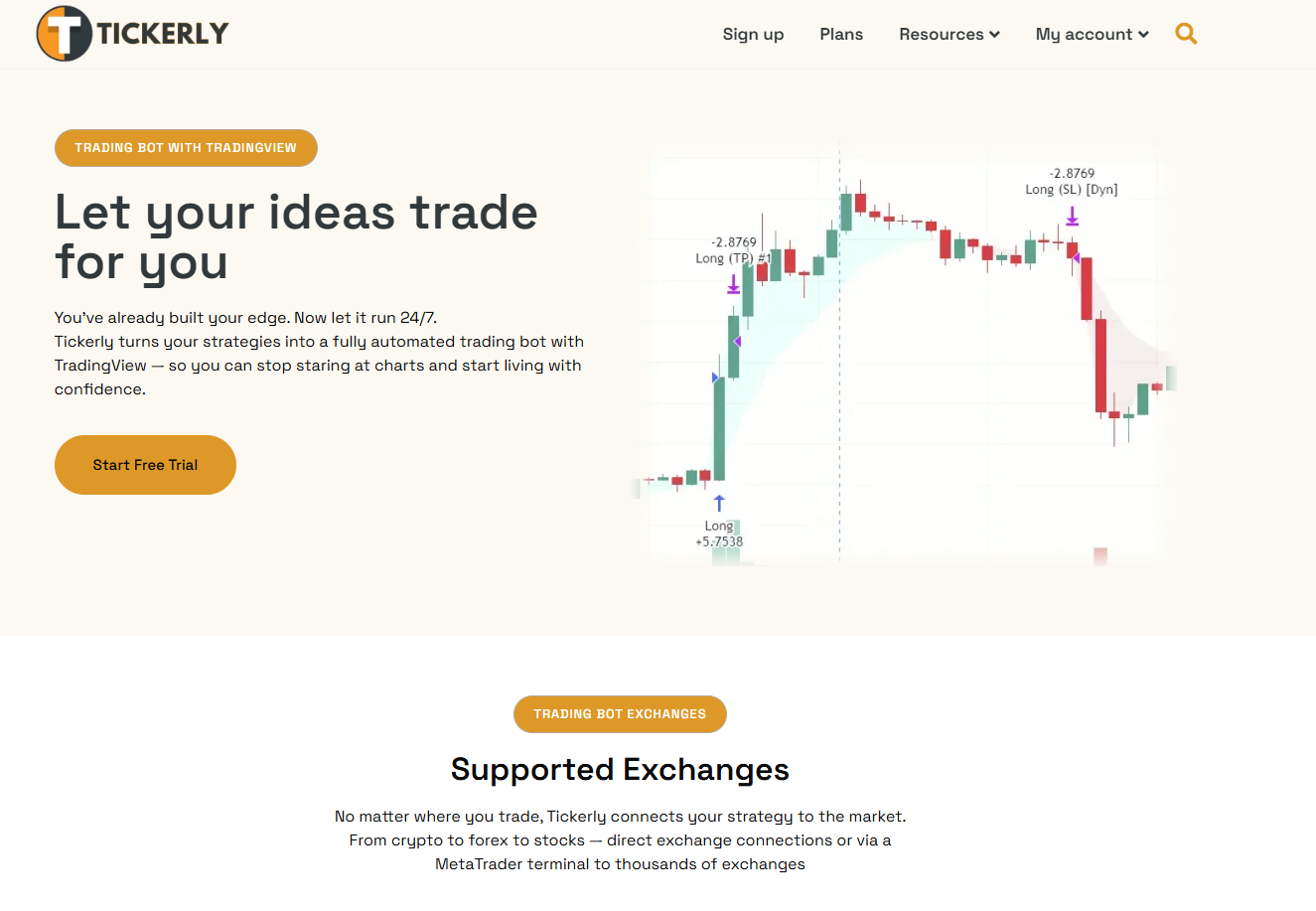
Unlike single-platform bridges that lock you into one broker type, Tickerly handles multiple strategies and asset classes from one dashboard, so you’re not maintaining separate tools for separate markets. Whether you’re running a Pine Script scalping strategy on crypto or a swing setup on MT5, you paste the same kind of ready-made alert message. On MetaTrader you also keep the Tickerly TV Connector EA running in your terminal.
Walk through the full setup on the Tickerly TradingView automation guide, connect your first alert, and confirm your fills before you scale up.
Sources
-
PineConnector Alternative with Live MT5 Demo
-
PineConnector Alternative in 2026: Honest Comparison for TradingView Automation – Ontology
FAQ
Is There a Free Connector That Links TradingView to MT5?
Some platforms, including AlgoWay, offer low-cost entry tiers with a live MT5 demo rather than a fully free permanent plan; Tickerly offers a 30-day free trial to test MT5 and multi-asset routing before paying.
Is There Anything Better Than TradingView for Charting and Alerts?
TradingView remains the dominant charting and alerting platform most connectors are built around; the real question isn’t replacing TradingView, it’s choosing the right execution layer, like Tickerly, to act on its alerts.
What’s the Best Open-Source Alternative to TradingView?
There’s no single dominant open-source charting platform that matches TradingView’s alert ecosystem and broker integrations; most traders instead pair TradingView with a connector rather than replacing the charting layer itself.
Is MT5 Better Than TradingView?
MT5 and TradingView serve different jobs: TradingView excels at charting, scripting, and alerts, while MT5 handles order execution and broker connectivity, which is exactly why connectors bridging the two exist in the first place.
Recommended
This article was produced with Al assistance and reviewed for accuracy. It is provided for general information only and is not professional or financial advice.